 Email Warm-up
How Many Mailboxes for Cold Email? Calculator and Examples
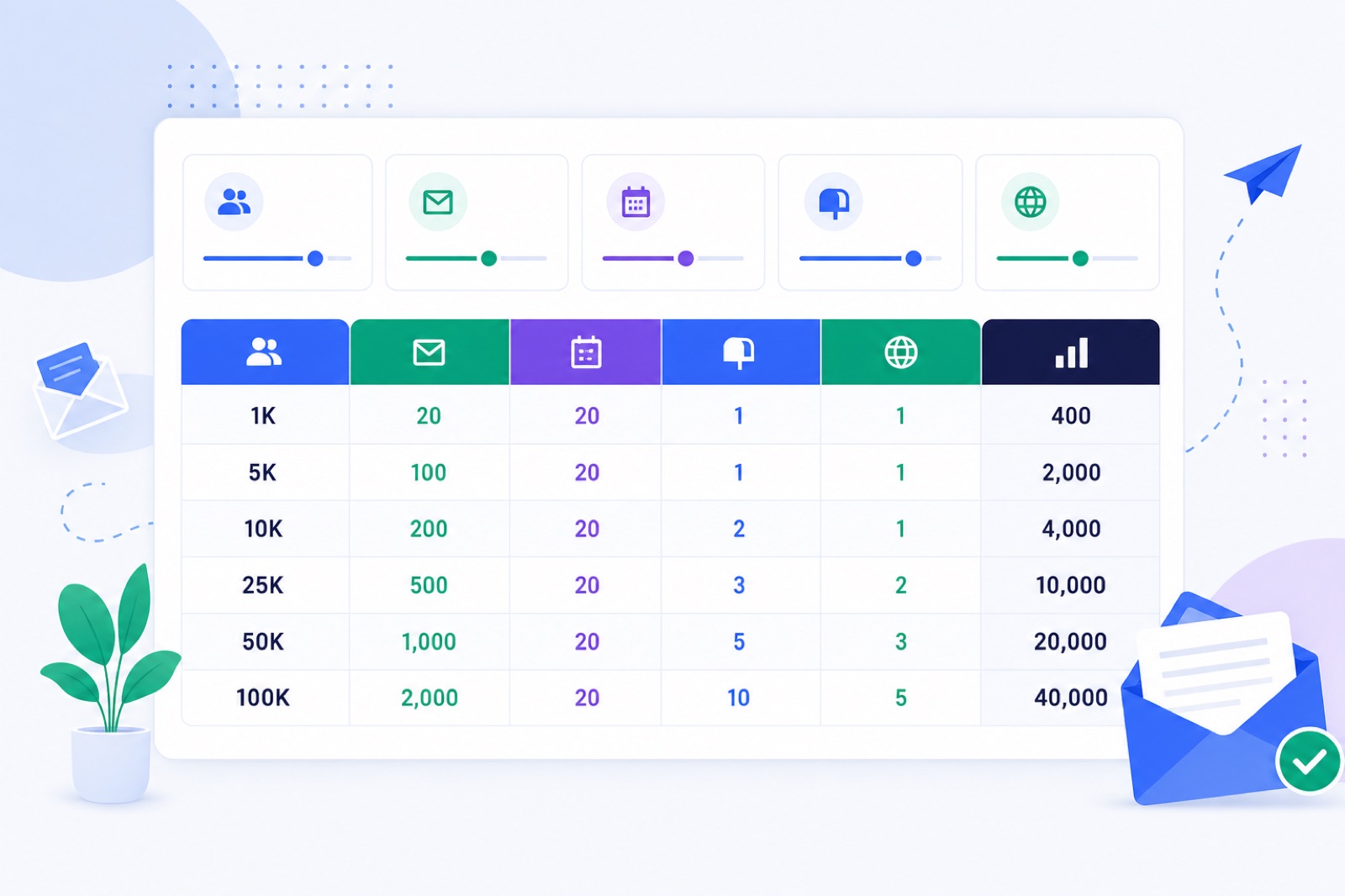
Use this formula: monthly contacts ÷ (30–50 cold emails per mailbox per day × working days) = mailboxes. If you ignore it, too much volume runs through too few inboxes and creates avoidable spam signals. This guide gives the calculator, 1,000–100,000 contact examples, domain planning, warm-up costs and a setup checklist.
For most teams, the right answer is smaller than expected. You do not need 100 mailboxes to test cold email. You do need enough capacity that no single mailbox carries the campaign. If you are choosing a safe daily cap first, read how many cold emails per day per mailbox.
The examples below assume 22 working days per month. If you send four days a week, use 17 or 18. If your sequence includes follow-ups, calculate total sent emails, not only new contacts added.
How do you calculate mailboxes?
Use this calculator:
Monthly sending capacity = mailboxes × daily cold email cap × sending days
Mailbox count = monthly contacts ÷ daily cold email cap ÷ sending days
Round up every time. Partial mailboxes do not exist, and spare capacity is safer than running every inbox at its limit.
If you want to contact 10,000 new people per month, and each mailbox sends 30 cold emails on 22 working days, the calculation is:
10,000 ÷ 30 ÷ 22 = 15.15
You need 16 mailboxes.
If those same mailboxes later send 50 per day, the calculation changes:
10,000 ÷ 50 ÷ 22 = 9.09
You need 10 mailboxes.
That does not mean you should start at 50 per day. Use 50 only after the mailbox has clean DNS, low spam placement, controlled bounces and stable replies. Use 30 when the domain is new, the list is untested or the offer is not proven.
How many mailboxes for cold email?
Use this table for first-touch planning. It uses 22 working days per month. If your campaign has follow-ups, add those sends before calculating mailbox count.
BobWork costs below are warm-up costs for a new account. They exclude mailbox hosting and sending tool costs. New accounts get 10 free mailboxes. Above that, extra mailboxes cost $5 each until 10 extras, $3 each from 10 extras, and $2 each from 50 extras.
| New contacts per month | Mailboxes at 30/day | BobWork warm-up cost | Mailboxes at 50/day | BobWork warm-up cost | Use this reading |
|---|---|---|---|---|---|
| 1,000 | 2 | $0/mo | 1 | $0/mo | One small test can run from one or two mailboxes. |
| 5,000 | 8 | $0/mo | 5 | $0/mo | Still inside the free warm-up limit. Keep the list clean. |
| 10,000 | 16 | $30/mo | 10 | $0/mo | Use 16 for safer early sending, 10 only after stability. |
| 25,000 | 38 | $84/mo | 23 | $39/mo | You need domain planning, not only mailbox planning. |
| 50,000 | 76 | $132/mo | 46 | $108/mo | Treat this as an operating system, not a side task. |
| 100,000 | 152 | $284/mo | 91 | $162/mo | Use multiple domains and strict suppression rules. |
The table has one hidden assumption: every contact gets one email. Real campaigns rarely work like that.
For a four-step sequence, calculate total monthly emails:
First touches + expected follow-up sends = total monthly emails
Replies, bounces and unsubscribes reduce later steps, but your plan still needs follow-up capacity. If you need a simple sequence structure, use this four-step cold email sequence template.
Which daily cap is safer?
The daily cap matters more than the mailbox count. A mailbox sending 100 weak cold emails per day is not safer because it is warmed. Warm-up does not replace relevance, unsubscribe handling, bounce control or list quality.
For cold outreach, a practical operating range is 30–50 real cold emails per mailbox per day. New mailboxes should start below that. Existing mailboxes can work up slowly.
Use 30 per day when any of these are true:
- The domain is less than a few weeks old.
- The mailbox has no sending history.
- The list source is new.
- The offer is untested.
- Spam placement is above your normal baseline.
- You are sending to Gmail, Yahoo and Microsoft consumer addresses at scale.
Use 50 per day only when all of these are true:
- SPF, DKIM and DMARC pass.
- Bounce rate is controlled.
- Replies are handled.
- Unsubscribes are honoured quickly.
- The mailbox has warmed long enough.
- Spam placement stays low over several days.
Google tells senders to keep spam complaint rates low, ideally under 0.1% and never at or above 0.3%. Yahoo also requires SPF, DKIM, DMARC and one-click unsubscribe for bulk senders. Read Google's email sender guidelines and Yahoo's sender best practices before you scale.
Microsoft requires SPF, DKIM and DMARC alignment for domains sending more than 5,000 emails per day to Outlook.com and Hotmail consumer mailboxes. See Microsoft's sender requirements if Microsoft recipients are part of your market.
How should you split domains?
Mailbox count is only half the plan. You also need enough sending domains.
A common cold email setup uses 2–5 mailboxes per sending domain. That is a practical operating range, not a mailbox-provider rule. It keeps one domain from carrying all send volume.
Do not send cold email from your primary company domain if losing reputation would hurt normal business mail. Use secondary domains, set DNS correctly and keep the sender identity credible.
Here is a domain plan using the safer 30/day mailbox count from the table.
| Monthly contacts | Safer mailbox count | Typical domains at 2–5 mailboxes/domain | Practical note |
|---|---|---|---|
| 1,000 | 2 | 1 | One domain is usually enough for a small test. |
| 5,000 | 8 | 2–4 | Use several mailboxes, not one heavy sender. |
| 10,000 | 16 | 4–8 | Keep domains similar, but not disposable-looking. |
| 25,000 | 38 | 8–19 | You need repeatable DNS, tracking and reply handling. |
| 50,000 | 76 | 16–38 | Segment by market, offer or sender identity. |
| 100,000 | 152 | 31–76 | This is fleet management. Use strict monitoring. |
You can use fewer domains if your risk tolerance is higher. You can use more if the market is sensitive or the list source is uncertain.
The worst setup is one domain, one mailbox and a high daily cap. Every mistake concentrates in one place.
For larger fleets, use the scale guides for 50 mailboxes, 100 mailboxes, 500 mailboxes and 1,000 mailboxes.
How do you warm before launch?
Warm-up should start before cold outreach, not after spam problems appear.
For an existing domain, warm for at least 7 days before the first campaign. For a new domain, use 2–3 weeks. If the domain has no history, choose the longer end.
BobWork Email Warm-up starts each mailbox at 3 emails per day, adds 2 per day and caps at 30 per day by default. The cap is editable per mailbox, up to 100. Weekends run at 30%. Sends are spread between 09:00 and 18:00 in the mailbox's own time zone.
The free pool does this step automatically through a shared warm-up network. You can also switch to a private pool per account in Mailbox pool → Pool mode. Private pools need at least two mailboxes because only your own mailboxes exchange warm-up mail.
Warm-up should include receiving, replies and spam rescue. In BobWork, about 40% of received warm-up mail gets a reply, threads end after 3 messages, and warm-up mail found in Spam is moved to Inbox, marked read, labelled Warm-up and archived after 24 hours.
Only mail carrying the engine's hidden header is touched. Real mail is not read, moved or answered.
If you want the day-by-day ramp, use this email warm-up schedule before you book campaign volume.
What must pass before scaling?
Mailbox count cannot compensate for broken authentication. Check DNS before you launch, then keep checking it while you scale.
| Record or control | What it proves | What to check |
|---|---|---|
| SPF | Which servers can send for the domain | The record includes your mailbox provider or sending service. |
| DKIM | Mail was signed by the sending domain or provider | The selector exists and passes for sent mail. |
| DMARC | How receivers evaluate SPF and DKIM alignment | Start with at least p=none while testing. |
| PTR | Sending IP has reverse DNS | This matters more for SMTP platforms and dedicated infrastructure. |
| Unsubscribe | Recipients can opt out | Your sending tool provides a clear unsubscribe path. |
| Suppression | Bad contacts stop receiving mail | Bounces, replies and unsubscribes are removed from later sends. |
Use the same domain in the visible From address and authenticated sending path where possible. Relaxed alignment is usually enough for DMARC, but no alignment is a problem.
BobWork checks SPF, DKIM and DMARC daily per domain. You can also use the free SPF checker, DKIM checker and DMARC checker before connecting a mailbox.
Use your provider's DNS instructions first. Do not copy records from another domain.
Your first campaign should not use the full calculator output on day one. If the calculator says you need 16 mailboxes, warm all 16, then start real outreach with only part of that capacity.
| Campaign day | Real cold emails per mailbox | What to watch |
|---|---|---|
| 1–2 | 5–10 | Bounces, immediate spam signs, provider warnings. |
| 3–5 | 10–20 | Replies, unsubscribes, negative responses. |
| 6–10 | 20–30 | Spam placement, list quality, mailbox health. |
| 11+ | 30–50 | Scale only if earlier days were stable. |
Do not scale because nothing broke. Scale because the data is clean.
Pause a mailbox for a few days if its warm-up spam rate rises above 5%. That is a warning sign. It does not prove the mailbox is ruined, but it means you should stop adding pressure.
BobWork marks a mailbox ready for outbound only after 7 or more days warming, 7-day spam rate at or below 10%, and at least 30 warm-up emails received. That gate is useful even if you send from another tool.
If you want warm-up and sending to continue together, read how to warm up while sending cold emails. Warm-up should not stop the day cold email starts.
What should you do now?
Use this checklist before you buy domains or connect dozens of inboxes.
| Step | Action | How to verify |
|---|---|---|
| 1 | Choose your monthly contact target. | Write one number, such as 10,000 new contacts per month. |
| 2 | Choose sending days. | Use 20–22 for weekdays, or your real campaign calendar. |
| 3 | Pick a daily cap. | Use 30/day for safer planning; use 50/day only after stability. |
| 4 | Calculate mailboxes. | Monthly contacts ÷ daily cap ÷ sending days, rounded up. |
| 5 | Add follow-up load. | Recalculate using total monthly emails if sequences have steps 2–4. |
| 6 | Split across domains. | Keep roughly 2–5 mailboxes per sending domain. |
| 7 | Set SPF, DKIM and DMARC. | Send a test and confirm authentication passes. |
| 8 | Warm before outreach. | Existing domains get 7+ days; new domains get 2–3 weeks. |
| 9 | Start below the cap. | First campaign days send 5–20 cold emails per mailbox. |
| 10 | Monitor and pause. | Pause a mailbox for a few days above 5% warm-up spam rate. |
Capacity is the ceiling, not the starting line. Your first campaign should run below the ceiling until replies, bounces, unsubscribes and spam placement look stable.
Budget for three costs.
First, mailbox hosting. Check your provider's current prices and sending rules.
Second, warm-up. BobWork Email Warm-up is free for up to 10 mailboxes for new accounts, with no credit card and no time limit. Extra mailboxes are billed monthly through Stripe and can be cancelled any time. Earlier users who created accounts before 27 October 2026 keep 20 free mailboxes for as long as they use the service.
Third, sending. BobWork Outbound is optional and pay as you go at $2 per 1,000 emails sent from your own warmed mailboxes. There is no monthly fee for that sending feature. Only mailboxes that pass the ready gate can send.
At 50+ mailboxes, consider a private pool if you want your mailboxes warming only each other. The shared network is the default; private pool is optional.
If you are importing many inboxes, CSV bulk upload is available in Add mailbox → Many mailboxes: upload a CSV. Use rows with email, app_password and name. Gmail, Yahoo and iCloud hosts are filled in automatically. Other domains need imap_host.
The default account limit is 200 mailboxes. Larger fleets can request a higher limit. For 500 or 1,000 mailboxes, plan domains, DNS and reply management before upload.
More mailboxes do not fix a weak campaign. If the offer is untested, send to a smaller, cleaner segment first. Then add capacity after the first layer works.
You can run the calculator now, then connect the mailboxes in BobWork Email Warm-up. Start with the safer 30/day version, warm the mailboxes first, and move toward 50/day only when campaign data supports it.
What do people ask next?
How many cold emails should one mailbox send per day?
Typically 30–50 cold emails per mailbox per day is a safer operating range. Start lower for new domains or newly warmed mailboxes. Add mailboxes instead of pushing one mailbox harder.
Do follow-ups count in the mailbox calculation?
Yes. If you send a four-step sequence, calculate total emails sent, not only new contacts added. Replies, bounces and unsubscribes reduce later steps, but leave capacity for follow-ups.
Can I send cold email from one mailbox only?
Yes, if monthly volume is small. One mailbox at 30 emails per working day can cover about 600–660 first touches per month. Do not use one mailbox for thousands of monthly cold emails.
How many domains do I need for cold email?
A common setup is 2–5 mailboxes per sending domain. For larger campaigns, spread mailboxes across several secondary domains instead of putting all volume on one domain.
How long should I warm mailboxes before sending?
Use at least 7 days for an existing domain and 2–3 weeks for a new domain. Keep warm-up running during campaigns, but keep real outreach modest at first.
Should I use 30/day or 50/day?
Use 30/day for new domains, first campaigns, higher-risk lists or new mailboxes. Use 50/day only after the mailbox has stable engagement, clean DNS and low spam placement.
Does BobWork support Outlook mailboxes?
Not yet. BobWork Email Warm-up supports Gmail, Google Workspace, Zoho, Lark, Yahoo, iCloud, Amazon SES, SendGrid, Mailgun and any IMAP+SMTP mailbox. Microsoft 365 and Outlook are not supported yet because Microsoft requires OAuth.
Frequently asked questions
How many cold emails should one mailbox send per day?
Typically 30–50 cold emails per mailbox per day is a safer operating range. Start lower for new domains or newly warmed mailboxes. Add mailboxes instead of pushing one mailbox harder.
Do follow-ups count in the mailbox calculation?
Yes. If you send a four-step sequence, calculate total emails sent, not only new contacts added. Replies, bounces and unsubscribes reduce later steps, but you should still leave capacity for follow-ups.
Can I send cold email from one mailbox only?
Yes, if your monthly volume is small. One mailbox at 30 emails per working day can cover about 600–660 first touches per month. Do not use one mailbox for thousands of monthly cold emails.
How many domains do I need for cold email?
A common setup is 2–5 mailboxes per sending domain. For larger campaigns, spread mailboxes across several secondary domains instead of putting all volume on one domain.
How long should I warm mailboxes before sending?
Use at least 7 days for an existing domain and 2–3 weeks for a new domain. Keep warm-up running during campaigns, but keep real outreach modest at first.
Should I use 30/day or 50/day in the calculator?
Use 30/day for new domains, first campaigns, higher-risk lists or new mailboxes. Use 50/day only after the mailbox has stable engagement, clean DNS and low spam placement.
Does BobWork support Outlook mailboxes?
Not yet. BobWork Email Warm-up supports Gmail, Google Workspace, Zoho, Lark, Yahoo, iCloud, Amazon SES, SendGrid, Mailgun and any IMAP+SMTP mailbox. Microsoft 365 and Outlook are not supported yet because Microsoft requires OAuth.
Warm up your mailboxes free
Connect Gmail, Google Workspace, Zoho or Lark. Your mailboxes warm on a shared network, or in a private pool of your own, starting today.