 Email Warm-up
How to Warm Up 500 Gmail Accounts Safely
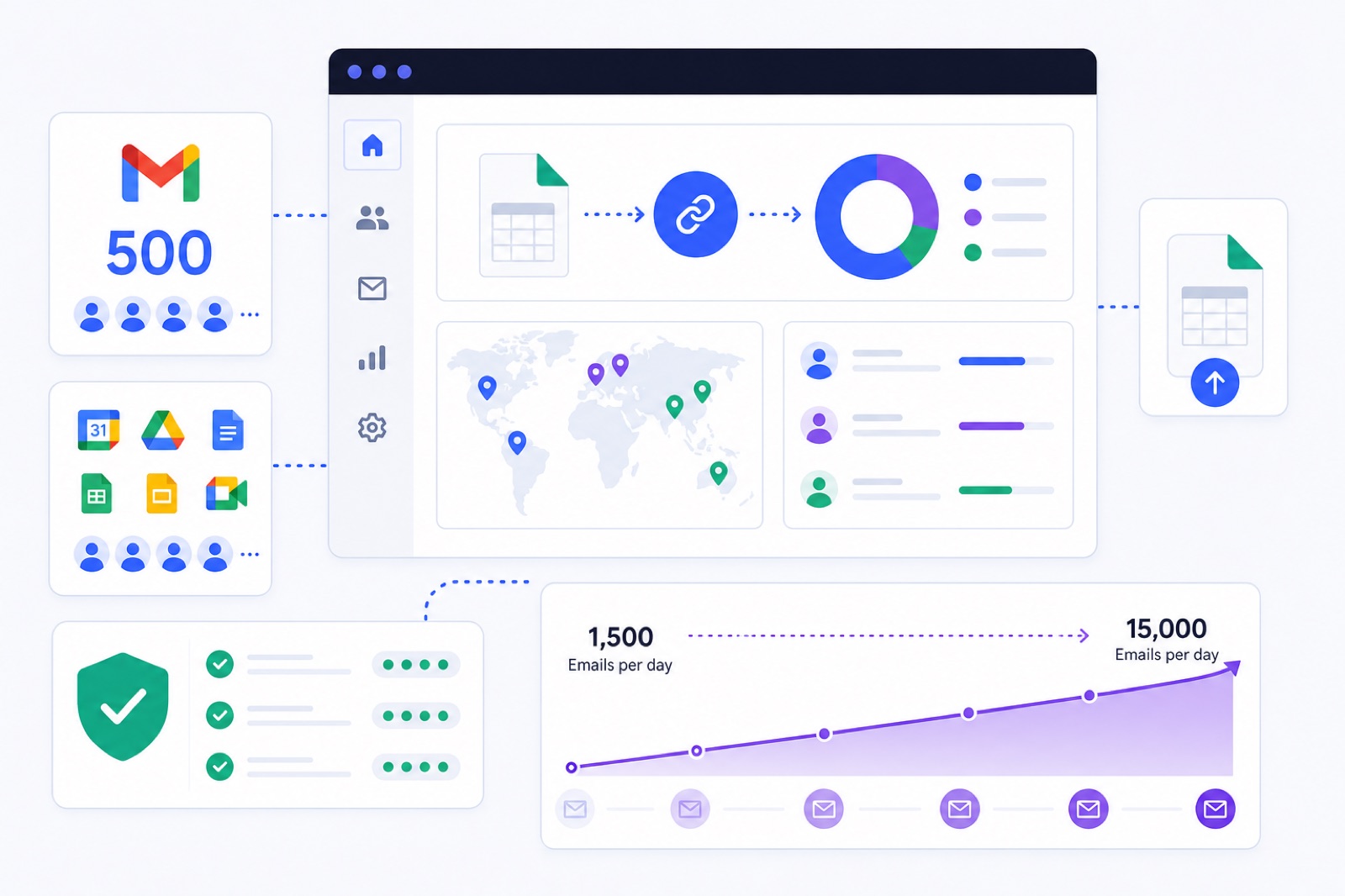
To warm up 500 Gmail accounts in BobWork, budget $980/month on a new account: 10 free mailboxes and 490 paid extras. If you import before app passwords, DNS, and pool settings are ready, you create avoidable login and filtering problems. This guide gives the CSV setup, ramp maths, domain spread, private pool choice, and recovery checks.
At this size, the work is not clicking Connect 500 times. You need a clean import, a controlled ramp, domain-level authentication, and mailbox-level monitoring. BobWork has a CSV bulk upload for many mailboxes, and the default ramp is explained in the warm-up strategy. If you are still comparing fleet costs, read the 50+ inbox cost guide before you buy or create accounts.
What does 500 accounts cost?
BobWork Email Warm-up is free for up to 10 mailboxes on a new account. Every active mailbox above that limit is paid. At 500 connected mailboxes, the monthly cost for a new account is $980.
Extras are billed through Stripe, prorated, and can be cancelled any time. If extras are paused, they do not bill while paused.
| Mailboxes | Free mailboxes | Paid extra mailboxes | Monthly cost |
|---|---|---|---|
| 10 | 10 | 0 | $0 |
| 50 | 10 | 40 | $120 |
| 100 | 10 | 90 | $180 |
| 200 | 10 | 190 | $380 |
| 500 | 10 | 490 | $980 |
| 1,000 | 10 | 990 | $1,980 |
These prices are for new accounts. Earlier users who created accounts before 27 October 2026 keep 20 free mailboxes for as long as they use the product, so they pay $20 less at large fleet sizes. New accounts get 10 free mailboxes, as explained in the free plan update.
The default account limit is 200 mailboxes. For 500 Gmail or Google Workspace accounts, request a higher limit first at info@bobwork.ai. Do that before the final CSV is ready, because mailboxes above the free limit need billing active before they connect.
How do you bulk-connect Gmail?
Use Gmail or Google Workspace over IMAP with an app password. That is the recommended route for bulk Gmail warm-up because it avoids the one-click OAuth user cap.
Google app passwords require 2-Step Verification. Google documents that requirement in its app password help page. IMAP also needs to be available for the mailbox; Google lists Gmail IMAP and SMTP settings in its IMAP setup guide.
Prepare one CSV with these columns:
``text email,app_password,name alex@example.com,abcd efgh ijkl mnop,Alex sam@example.com,qrst uvwx yzab cdef,Sam ``
For Gmail, Yahoo, and iCloud, BobWork fills in the host settings automatically. For other IMAP providers, add an imap_host column when needed.
In the dashboard, go to Add mailbox → Many mailboxes: upload a CSV. Paste the rows or upload the file. Every row gets the same IMAP and SMTP login test as a single mailbox connection.
Failed rows are listed with the reason. Already-connected rows are skipped, so you can safely re-upload after fixes. That matters at 500 accounts because app passwords, 2-Step Verification, and account access problems usually get fixed in batches.
Do not use regular Gmail passwords. Use one app password per mailbox. Store the CSV carefully, upload it, then remove local copies you do not need. At this scale, a spreadsheet of active mailbox credentials is a security asset.
One-click Google sign-in exists in BobWork, but it is not the best route for 500 Gmail accounts. Google caps unverified apps at 100 users, BobWork has not done the CASA audit, and Google shows an unverified-app notice. A Workspace admin can mark the app as trusted in the Admin console, but app passwords remain the practical bulk route.
How do you warm up 500 Gmail accounts?
Each mailbox ramps on its own schedule. The default ramp starts at 3 warm-up emails per day, adds 2 per day, and caps at 30 per day. Weekends run at 30% of the weekday pace.
At 500 mailboxes, the arithmetic becomes large quickly. This table shows the planned weekday volume if all 500 accounts start on the same day.
| Ramp day | Emails per mailbox | Fleet warm-up emails/day | Weekend pace |
|---|---|---|---|
| 1 | 3 | 1,500 | 450 |
| 7 | 15 | 7,500 | 2,250 |
| 14 | 29 | 14,500 | 4,350 |
| 15 and after | 30 | 15,000 | 4,500 |
The cap is editable per mailbox up to 100, but do not treat that as the target. For cold outreach, keep warm-up around 10–15 per day during campaigns and keep real outreach at 30–50 per day per mailbox. Add mailboxes instead of forcing more volume through one account.
BobWork spreads warm-up sends across 09:00–18:00 in each mailbox's own time zone. The sending decision is made every 15 minutes with randomness. A pair never writes to each other twice within 3 hours, and peers on a different domain or provider are picked twice as often.
About 40% of received warm-up emails get a reply. Threads end after 3 messages. Messages are plain text, with no links, no images, and first-name greetings. The engine writes the content, so users cannot push links or sales copy through the network.
If you want to model the ramp before importing 500 accounts, use the warm-up schedule guide or the warm-up schedule generator.
Which pool mode should you use?
BobWork uses a shared warm-up network by default. Every active mailbox on the service can exchange warm-up emails with other active mailboxes across accounts. One mailbox is enough to start in shared mode.
For 500 accounts, use a private pool unless you have a reason to stay shared. BobWork recommends private pools once you have 50+ mailboxes. In private mode, only your own mailboxes write to each other, and nobody outside your account receives their addresses. A private pool needs at least two mailboxes.
| Pool mode | Best fit | What happens | Minimum mailboxes |
|---|---|---|---|
| Shared network | Small setups, new users, mixed provider coverage | Your mailbox warms with other active mailboxes across accounts | 1 |
| Private pool | Agencies and large fleets with 50+ mailboxes | Only mailboxes in your account warm each other | 2 |
For 500 Gmail accounts, private pool mode gives you enough internal volume without relying on outside accounts. The warm-up engine still handles pairing, timing, replies, spam rescue, and archiving automatically. The pool setting only changes who can be paired with whom.
Change this in the dashboard under Mailbox pool → Pool mode. Switch before the fleet starts warming if address exposure matters to your client or internal policy.
How should domains be spread?
Do not put 500 sending mailboxes on one domain. For big fleets, use typically 2–5 mailboxes per domain. At 500 mailboxes, that means roughly 100–250 domains if you follow that spread.
Every domain needs correct SPF, DKIM, and DMARC before outreach. BobWork checks SPF, DKIM, and DMARC daily through DNS and shows results per domain. DKIM selectors checked include common Google and provider selectors such as google, default, selector1, selector2, k1, s1, mail, dkim, lark, feishu, and zoho.
Use Google Workspace documentation for provider-side setup. Google explains DKIM setup in its DKIM authentication guide, and Gmail sender requirements are listed in Google's email sender guidelines.
Google's published complaint-rate guidance is strict: keep spam complaints under 0.1%, and never reach 0.3%. Warm-up does not replace consent, targeting, unsubscribe handling, or list hygiene. It only builds and measures mailbox behaviour under controlled traffic.
Before you import the CSV, check each domain with the SPF, DKIM, and DMARC guide. If Gmail filtering is already the problem, use the Gmail spam troubleshooting guide before sending campaign traffic.
How do you recover weak accounts?
If some Gmail accounts are already landing in spam, stop real outbound before you warm them. Warm-up should not run beside a failing campaign that keeps generating complaints, bounces, or ignored mail.
BobWork measures spam landings directly in receiving mailboxes. It does not use third-party seed lists. The spam rate is the share of a sender's warm-up mail that receiving mailboxes found in Spam over the last 7 days.
When a warm-up email is found in Spam, BobWork moves it to Inbox, marks it read, labels it Warm-up, and archives it after 24 hours. Only mail carrying the engine's own hidden header is touched. For Zoho API senders, a known subject is used. Real mail is never read, moved, or answered.
Work in this order:
- Pause cold outreach from the affected mailbox.
- Fix SPF, DKIM, and DMARC on the sending domain.
- Check recent bounces, complaints, and bad lists.
- Warm the mailbox until the 7-day spam rate improves.
- Keep the mailbox paused for a few days if spam rate rises above 5%.
Do not expect every mailbox to recover at the same speed. At 500 accounts, you will have outliers. Treat them as separate mailboxes, not as one blended average.
Fleet averages hide bad accounts. A 500-mailbox setup can look healthy overall while 20 accounts are still unsafe for outreach. Read mailbox-level status first, then look for domain-level patterns.
| Signal | Healthy value | What to do when it fails |
|---|---|---|
| Health score | 85–100 is Healthy | Check spam rate, login status, and recent DNS changes |
| Watch | 60–84 | Keep warming; do not raise outbound volume |
| At risk | Below 60 | Pause campaigns and fix the cause |
| Blocked | Login or permission failed | Reconnect the mailbox or replace credentials |
| Ready for outbound | 7+ days warming, 7-day spam rate ≤3%, and 30+ warm-up emails received | Do not send campaigns until all three pass |
The Ready for outbound gate matters more than the calendar. A mailbox that has warmed for 7 days but has not received enough warm-up mail is not ready. A mailbox with enough volume but a 7-day spam rate above 3% is not ready either.
Once mailboxes are ready, keep warm-up running while they send. If you use BobWork Outbound, only mailboxes that pass the Ready gate can send. The first week after ready is capped at 30 cold emails per day per mailbox, then 50 per day after that. Replies stop the sequence for that contact, and a mailbox whose bounce rate passes 5% stops sending automatically.
For agencies or internal systems, the email warm-up API can pull mailbox stats, domain checks, and warm-up status. That is usually easier than exporting screenshots from a 500-row dashboard.
What should you check now?
Use this checklist before you import 500 Gmail accounts. Do not start with the CSV if the domains and passwords are not ready.
| Step | Action | How to verify |
|---|---|---|
| 1 | Request a higher account limit for 500 mailboxes | Your BobWork account can connect more than the default 200 mailboxes |
| 2 | Turn on 2-Step Verification for every Gmail or Workspace account | Google allows app password creation for each mailbox |
| 3 | Create one app password per mailbox | The CSV has email, app_password, and name for every row |
| 4 | Set SPF, DKIM, and DMARC on every sending domain | BobWork domain checks show passing records per domain |
| 5 | Keep domain spread to typically 2–5 mailboxes per domain | Your 500 accounts are split across many domains, not one domain |
| 6 | Upload the CSV in Add mailbox → Many mailboxes | Failed rows show clear reasons; connected rows pass IMAP and SMTP tests |
| 7 | Switch to private pool | Mailbox pool → Pool mode shows Private pool |
| 8 | Let the ramp run before outreach | Mailboxes show 7+ days warming, ≤3% 7-day spam rate, and 30+ received |
| 9 | Pause weak accounts | Any mailbox above 5% spam rate is paused for a few days |
| 10 | Keep warm-up on during campaigns | Warm-up continues at 10–15 per day while real outreach stays within safe mailbox limits |
If the fleet is ready, start with BobWork Email Warm-up. Use app passwords, upload the CSV, switch to private pool, and watch the Ready for outbound gate per mailbox. At 500 accounts, the goal is not one big launch. It is 500 small mailboxes behaving consistently.
Frequently asked questions
How long does it take to warm up 500 Gmail accounts?
Use at least 7 days for existing domains and 2-3 weeks for new domains. In BobWork, each mailbox starts at 3 warm-up emails per day and rises by 2 per day until it reaches 30 per day.
Can I upload 500 Gmail accounts at once?
Yes, but the default account limit is 200 mailboxes. For 500 mailboxes, request a higher limit first, then use Add mailbox -> Many mailboxes: upload a CSV with email, app_password, and name columns.
Do I need app passwords for Gmail warm-up?
The recommended route is Gmail or Google Workspace IMAP with an app password. That requires 2-Step Verification on the Google account. One-click Google sign-in exists, but Google shows an unverified-app notice and caps unverified apps.
Should 500 Gmail accounts use a shared or private pool?
For 500 mailboxes, use a private pool unless you have a reason to stay on the shared network. BobWork recommends private pools once you have 50+ mailboxes, because your own accounts can warm each other at that size.
How many warm-up emails do 500 accounts send once ramped?
At the default 30 per day cap, 500 mailboxes can send up to 15,000 warm-up emails per day once fully ramped. Weekends run at 30% of the weekday pace.
Can warm-up fix accounts already landing in spam?
It can help you measure and reduce warm-up spam landings, but it cannot guarantee inbox placement. Pause outbound first, fix SPF, DKIM and DMARC, then warm until the 7-day spam rate improves.
How many domains do I need for 500 Gmail accounts?
For big fleets, use typically 2-5 mailboxes per domain. At 500 mailboxes, that means roughly 100-250 domains if you follow that spread. Each domain needs its own SPF, DKIM and DMARC checks.
Upload your whole fleet in one CSV
10 mailboxes free, then $5, $3 or $2 a month each depending on fleet size. Every row gets a real login test, and failed rows tell you why.