 Email Warm-up
Warm Up 50 Email Accounts: CSV Setup, Ramp, and $120 Cost
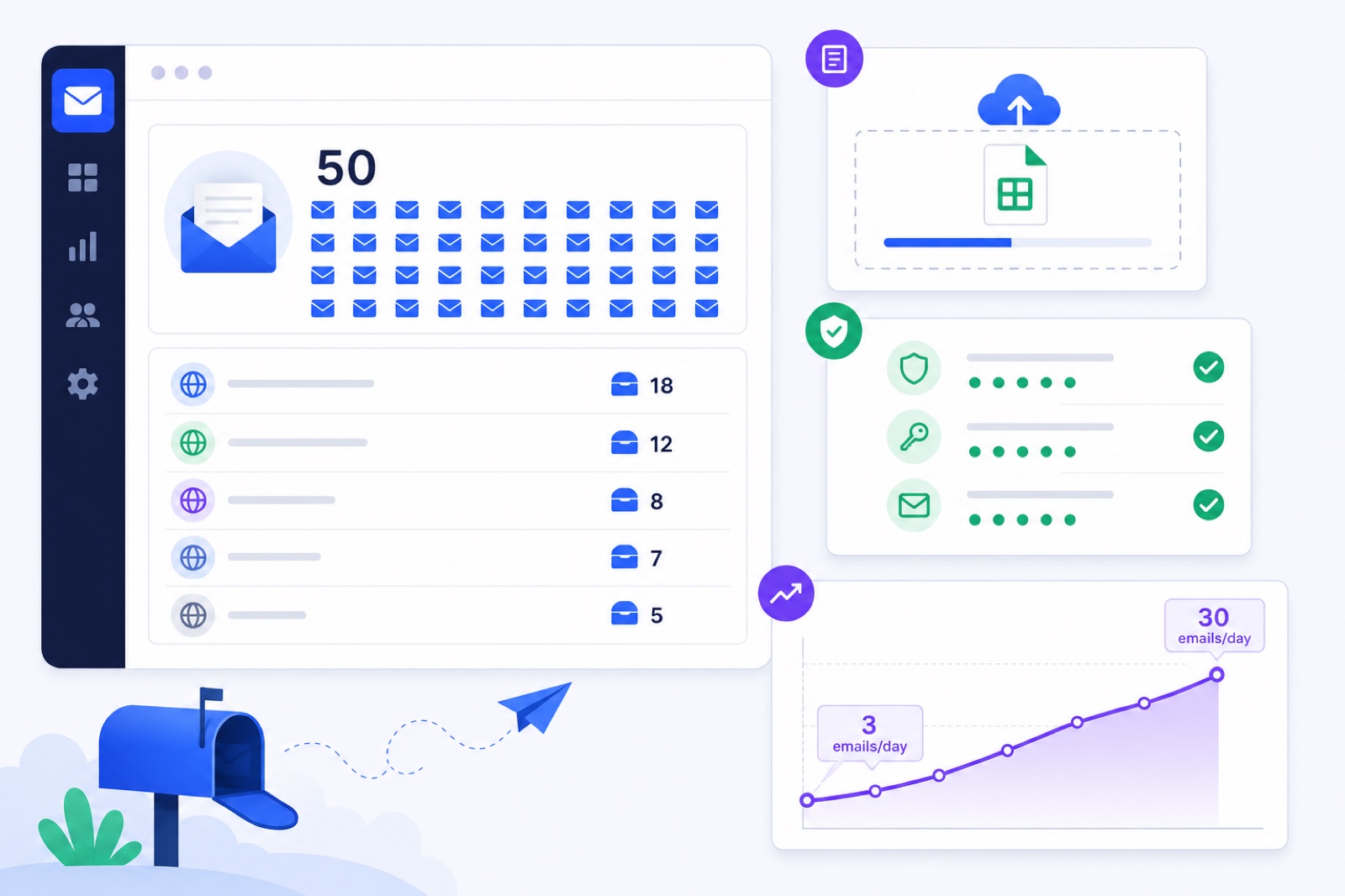
For a new BobWork account, warming 50 email accounts costs $120/month: 10 included mailboxes plus 40 paid extras. If you skip DNS checks, ramping, or per-mailbox stop rules, one weak domain can pull the whole fleet into spam. This guide shows the CSV format, ramp math, pool choice, domain spread, readiness checks, and exact costs.
A 50-mailbox setup is common for small agencies, lead-gen teams, and operators running several sending domains. You need a repeatable process, not 50 manual logins. BobWork Email Warm-up supports bulk CSV import, daily SPF/DKIM/DMARC checks, a shared warm-up network by default, and a private pool option when you want only your own mailboxes warming each other.
Treat each mailbox as its own sender, then manage the 50 as one fleet. Every mailbox needs working IMAP/SMTP or provider access, correct DNS, a ramp, and a stop rule when spam placement rises.
What does 50 mailboxes cost?
For a new account, BobWork includes 10 active mailboxes free. At 50 active mailboxes, you pay for 40 extras. The current monthly cost is $120/month.
The tiering has one non-obvious effect: 60 total mailboxes can cost less than 50 total mailboxes. Under current new-account pricing, 50 total mailboxes means 40 paid extras at the 10+ extra tier. At 60 total mailboxes, you have 50 paid extras and reach the lower $2 tier.
| Total active mailboxes | Included mailboxes | Paid extras | Monthly cost |
|---|---|---|---|
| 10 | 10 | 0 | $0 |
| 20 | 10 | 10 | $30 |
| 25 | 10 | 15 | $45 |
| 50 | 10 | 40 | $120 |
| 60 | 10 | 50 | $100 |
| 100 | 10 | 90 | $180 |
| 150 | 10 | 140 | $280 |
| 200 | 10 | 190 | $380 |
| 500 | 10 | 490 | $980 |
| 1,000 | 10 | 990 | $1,980 |
Those prices are for new accounts. Earlier users who created accounts before 27 October 2026 keep 20 free mailboxes for as long as they use the service. Referral extras and AppSumo extras stack on top of the free allowance.
Mailboxes above the free limit need billing active before they connect. Billing is handled by Stripe, prorated, and cancellable any time. Extras pause without billing when they are not active.
If you are still deciding how many senders you need, compare this with the guide to warming up 10+ email accounts. If you expect to grow, the 100-mailbox bulk warm-up guide shows the next step.
How do you warm up 50 email accounts?
A 50-account warm-up has four jobs:
- Connect every mailbox without sharing passwords manually.
- Check DNS on every sending domain.
- Let each mailbox ramp on its own schedule.
- Pause weak senders before outreach starts.
Do not warm the fleet by sending the same messages between your own accounts manually. That creates repeated patterns, misses spam-folder rescue, and becomes unmanageable once you have dozens of inboxes.
Use the bulk uploader when your accounts are ready:
Add mailbox → Many mailboxes: upload a CSV
The required CSV columns are:
``text email,app_password,name ``
For Gmail, Yahoo, and iCloud, BobWork fills in the host settings. For other domains, add imap_host.
``text email,app_password,name,imap_host alex@agency-domain.com,abcd efgh ijkl mnop,Alex,imap.yourhost.com sam@agency-domain.com,qrst uvwx yzab cdef,Sam,imap.yourhost.com ``
Every row gets the same IMAP and SMTP login test as a single mailbox connection. Failed rows are listed with the reason. Already-connected rows are skipped, so you can fix the failed accounts and re-upload safely.
For Gmail and Google Workspace, the recommended route is IMAP with an app password. That requires 2-Step Verification. Google explains how to create an app password for sign-in. BobWork also has one-click Google sign-in, but Google caps unverified apps at 100 users. BobWork has not done the CASA audit, so spots are limited and Google shows an unverified-app notice. A Workspace admin can mark the app as trusted in the Admin console.
For Yahoo and iCloud, use app passwords. For Zoho Mail, you can use the Zoho Mail API route with a Self Client code, including on Zoho’s free plan. You can also use IMAP on Mail Lite or higher. Outlook and Microsoft 365 are not supported yet because Microsoft requires OAuth.
Before uploading 50 rows, test one mailbox from each provider or domain. That catches wrong hostnames, disabled IMAP, blocked SMTP, and password format errors before you repeat them 50 times.
The default account limit is 200 mailboxes. Larger fleets, such as 500 or 1,000 mailboxes, can request a higher limit through info@bobwork.ai.
What ramp should you expect?
Each mailbox ramps independently. The default schedule starts at 3 emails/day, adds 2 per day, and caps at 30 emails/day. The cap is editable per mailbox up to 100, but 30/day is enough for most warm-up before cold outreach.
Sends are spread between 09:00 and 18:00 in the mailbox’s own time zone. The engine decides every 15 minutes with randomness. Weekends run at 30% of the weekday plan.
For 50 mailboxes, fleet volume grows quickly even while each sender stays modest.
| Warm-up day | Per mailbox, weekday plan | 50-mailbox weekday total | Weekend total at 30% |
|---|---|---|---|
| Day 1 | 3/day | 150/day | 45/day |
| Day 7 | 15/day | 750/day | 225/day |
| Day 14 | 29/day | 1,450/day | 435/day |
| Day 15 onward | 30/day default cap | 1,500/day | 450/day |
These are warm-up emails, not cold emails. Keep the two plans separate.
A pair of mailboxes never writes to each other twice within 3 hours. Peers on a different domain or provider are picked twice as often. About 40% of received warm-up mail gets a reply, and threads end after 3 messages.
The content is plain office talk: 40 openers, 16 replies, and 6 closers. Messages are plain text, with no links, no images, and first-name greetings.
Warm-up mail found in Spam is moved to Inbox, marked read, labelled Warm-up, and archived after 24 hours. Only mail carrying the engine’s hidden header is touched. For Zoho API senders, a known subject is used. Real mail is never read, moved, or answered.
For real outreach, use lower working volumes than the warm-up cap. BobWork’s published practice is 30–50 cold emails/day per mailbox, with warm-up kept around 10–15/day during campaigns. If you need more volume, add more mailboxes instead of forcing one sender harder. The cold email daily limit guide explains that model.
Should 50 use a private pool?
BobWork uses a shared warm-up network by default. Every active mailbox on the service exchanges warm-up emails with other active mailboxes across accounts. One mailbox is enough to start because it can warm with the shared network.
At 50 mailboxes, consider private pool mode:
Mailbox pool → Pool mode
In private mode, only your own account’s mailboxes write to each other. Nobody outside your account receives those mailbox addresses through warm-up. A private pool needs at least two mailboxes.
For a 50-mailbox agency setup, private pool mode often makes sense. You have enough senders to create internal variety, and you can keep client or campaign infrastructure inside your own account.
Shared mode still has uses. It gives you outside peers, different domains, and different providers without needing many mailboxes of your own. If you start below 50, shared mode is usually simpler.
Do not use private mode as a reputation fix. It does not repair a weak domain, missing DNS, aggressive outbound, or poor list quality.
How should you spread domains?
Do not put 50 cold outreach mailboxes on one domain unless you have a specific reason and strong controls. A typical cold email setup uses 2–5 mailboxes per domain.
At 50 mailboxes, that usually means several domains. The exact number depends on brand risk, campaign type, and provider limits. The goal is to avoid concentrating all sending reputation in one place.
Every sending domain needs authentication before warm-up:
- SPF should authorise the sending provider.
- DKIM should be enabled and passing.
- DMARC should exist, at least with
p=nonewhile you monitor. - The visible From domain should align with SPF or DKIM.
BobWork checks SPF, DKIM, and DMARC daily and shows the result per domain. You can also use the free SPF checker, DKIM checker, and DMARC checker before uploading your CSV.
Google’s sender guidelines tell bulk senders to keep spam complaint rates under 0.1% and avoid ever reaching 0.3%. Read Google’s current email sender guidelines before scaling.
Yahoo’s sender best practices require SPF and DKIM, DMARC of at least p=none, alignment, one-click unsubscribe for bulk mail, and a spam rate under 0.3%. Check Yahoo’s current sender best practices before running campaigns to Yahoo recipients.
If your cold email will include list-style messaging, support one-click unsubscribe. RFC 8058 defines one-click unsubscribe. Your sending tool should also suppress unsubscribes and bounces across the account.
Postmark is not a cold email workaround. Its terms require permission-based lists and prohibit purchased or rented lists, so it is not suitable for cold outreach.
How do you read fleet health?
Fleet averages can hide bad individual senders. Always read both levels: the whole account and each mailbox.
In BobWork, spam rate is the share of a sender’s warm-up mail that receiving mailboxes found in Spam over 7 days. This is measured directly inside receiving mailboxes. BobWork does not use third-party seed lists for that metric.
| Status | Score or condition | What to do |
|---|---|---|
| Healthy | 85–100 | Keep warming and watch normal variance |
| Watch | 60–84 | Check spam rate, DNS, and recent changes |
| At risk | Under 60 | Pause or reduce activity before outreach |
| Blocked | Login or permission failed | Reconnect the mailbox before it can warm |
A mailbox is ready for outbound only when all three conditions are true:
| Ready condition | Required value |
|---|---|
| Time warming | 7+ days |
| 7-day spam rate | 3% or lower |
| Warm-up emails received | 30 or more |
Do not average your way out of a problem. If 45 mailboxes are healthy and 5 are at risk, hold back those 5. Fix them before they join a campaign.
Use a simple pause rule: pause any mailbox above 5% spam rate for a few days. Check DNS, provider warnings, recent outbound, and domain age. Then restart at a lower working volume.
For a new domain, plan 2–3 weeks before meaningful outbound. For an existing domain, 7 days can be enough if the metrics are clean. Use the new domain warm-up guide if the domain has no history. If Gmail is already sending messages to spam, use the Gmail spam fix checklist before adding volume.
Once a mailbox is ready, warm-up can keep running while outbound starts. BobWork Outbound only lets mailboxes send campaigns after they pass the ready gate. Its cold email caps are 30/day per mailbox in the first week after ready, then 50/day after that, with 4–9 minutes between sends from one mailbox.
You do not need to use BobWork Outbound to use warm-up. The warm-up tool remains free for the included mailboxes, and the shared warm-up network handles sending, replies, spam rescue, and archiving while you watch the fleet.
What should you do now?
Use this checklist before you upload the 50-mailbox CSV. Fixing setup errors first is faster than diagnosing 50 failed rows later.
| Step | Action | How to verify |
|---|---|---|
| 1 | Confirm fleet size | A new 50-mailbox account is $120/month; 60 mailboxes is $100/month under current pricing |
| 2 | Spread domains | Use a typical 2–5 mailboxes per domain pattern for cold outreach |
| 3 | Create app passwords | Gmail and Google Workspace accounts have 2-Step Verification enabled first |
| 4 | Prepare the CSV | Columns are email, app_password, name; add imap_host for other domains |
| 5 | Test one mailbox per provider | Single mailbox connection passes IMAP and SMTP |
| 6 | Upload in bulk | Add mailbox → Many mailboxes: upload a CSV; failed rows show reasons |
| 7 | Check DNS per domain | SPF, DKIM, and DMARC show passing in the dashboard or free checkers |
| 8 | Pick a pool mode | Shared network is default; private pool is set in Mailbox pool → Pool mode |
| 9 | Let the ramp run | Day 1 is 150 fleet emails; day 15 onward is up to 1,500/day on weekdays |
| 10 | Gate outbound per mailbox | Each mailbox has 7+ days warming, spam rate ≤3%, and 30+ received emails |
If you are setting up 50 accounts now, start with the CSV and keep a copy of the file. Fix failed rows and re-upload safely. Then watch readiness per mailbox, not only per domain.
BobWork Email Warm-up is free for up to 10 mailboxes on new accounts, with paid extras above that. A 50-mailbox setup costs $120/month, uses the same 3-to-30/day ramp per mailbox, and can run in a shared warm-up network or a private pool per account. Start from the free warm-up tool when your mailbox list and DNS are ready.
Frequently asked questions
How much does it cost to warm up 50 email accounts?
For a new BobWork account, 50 active mailboxes cost $120/month. That is 10 free mailboxes and 40 paid extras. Earlier users who keep 20 free mailboxes pay less under their retained free allowance.
Why can 60 mailboxes cost less than 50?
BobWork’s new-account pricing drops to $2 per paid extra from 50 extras. That means 60 total mailboxes, with 50 paid extras after the 10 free, costs $100/month. At 50 total mailboxes, 40 paid extras cost $120/month.
Can I upload all 50 mailboxes at once?
Yes. Use Add mailbox → Many mailboxes: upload a CSV. The required columns are email, app_password and name. Gmail, Yahoo and iCloud hosts are filled in. Other domains need imap_host.
Do I need 50 mailboxes on one domain?
No. For cold email, spread mailboxes across several domains. A typical setup uses 2–5 mailboxes per domain, with SPF, DKIM and DMARC configured on every sending domain.
Should 50 mailboxes use a private pool?
At 50 mailboxes, a private pool usually makes sense if you want only your own mailboxes to exchange warm-up mail. BobWork uses a shared warm-up network by default, and you can switch to private mode in Mailbox pool → Pool mode.
When are 50 warmed mailboxes ready for outreach?
In BobWork, a mailbox is ready after 7+ days warming, a 7-day spam rate of 3% or lower, and at least 30 warm-up emails received. Check this per mailbox, not only at the fleet level.
Can I send cold email while warm-up runs?
Yes, but keep volume controlled. BobWork’s published practice is to keep warm-up at 10–15/day during campaigns and keep real outreach around 30–50/day per mailbox. Add mailboxes instead of forcing higher volume.
Upload your whole fleet in one CSV
10 mailboxes free, then $5, $3 or $2 a month each depending on fleet size. Every row gets a real login test, and failed rows tell you why.