 Email Warm-up
Cold Email Sequence Template: 4 Steps, Timing, and Stop Rules
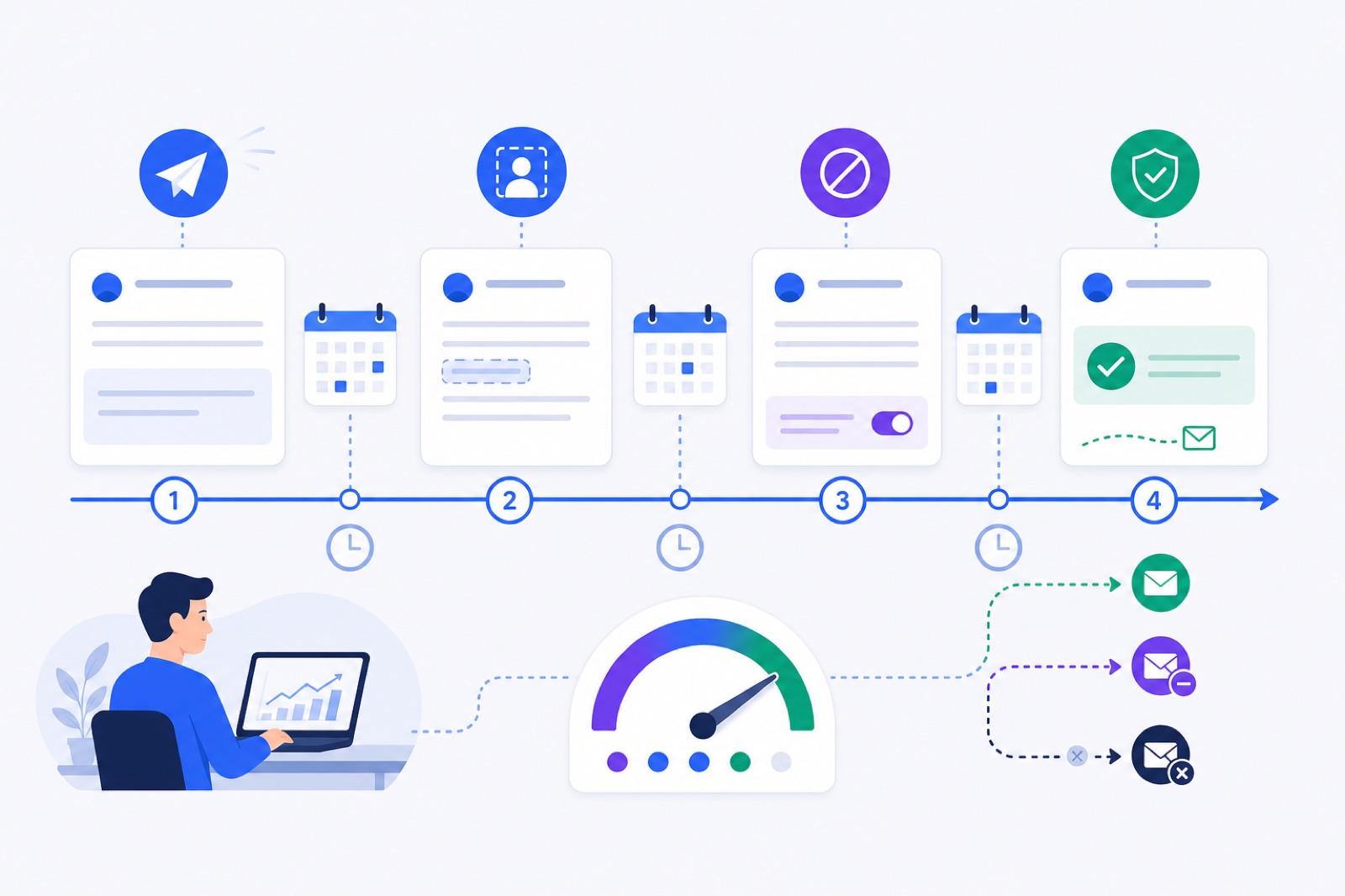
A four-step cold email sequence should run over 12–14 days, with 2–4 days between early touches and about 30–50 real outreach emails per warmed mailbox per day. If you send before the mailbox is ready, spam placement and replies usually get worse. This guide gives you the copy, timing, merge fields, checks, and stop rules.
Start with the sequence, not the tool. A short message to the right person beats a long automation with weak targeting. If you are setting up mailboxes first, read the new-domain warm-up plan before you press send.
The goal is not to trick a filter. The goal is to send relevant business email from a mailbox that behaves steadily. Your sequence should be easy to stop, easy to audit, and boring from a deliverability point of view.
What cold email sequence template should you use?
Use four short emails. Each one should have one job. The first email opens the reason for contact. The second adds context. The third gives a useful angle. The fourth closes the loop.
Keep every email plain. Use one ask per message. Avoid images and link-heavy copy, especially on new domains. If you need a link, earn it later after a reply.
Replace the bracketed notes with your actual offer and proof. The merge fields use {first_name} and {company} because those are the two fields most teams can verify.
| Step | Send day | Subject | Email body | Job |
|---|---|---|---|---|
| 1 | Day 1 | Quick question, {first_name} | Hi {first_name}, I noticed {company} [specific trigger or segment]. We help [type of company] with [specific outcome] without [common pain]. Worth a short note, or should I speak with someone else? | Open a relevant conversation |
| 2 | Day 3 or 4 | Re: Quick question, {first_name} | Hi {first_name}, adding one detail. Teams usually come to us when [problem] starts taking time from [role or team]. If that is on the list at {company}, I can send the two-minute version. | Clarify the problem |
| 3 | Day 7 or 8 | Re: Quick question, {first_name} | Hi {first_name}, one useful idea either way: [practical observation or small recommendation]. If you are already handling this, ignore me. If not, I can share what usually works for companies like {company}. | Give value without pressure |
| 4 | Day 12 to 14 | Should I close this? | Hi {first_name}, I have not heard back, so I will close the loop. If [problem] becomes relevant at {company}, reply with “later” and I will send the short version. | End politely |
This is deliberately simple. The first email is not a pitch deck. The follow-ups do not pretend you are already in a conversation. The final email gives the person an easy way out.
If you use BobWork Outbound, this maps to its supported structure: up to four steps, delays between steps, and merge fields such as {{first_name}} or {{company|there}}. Sending still happens from your own warmed mailboxes.
What timing and caps are safe?
Timing matters because a sequence creates repeated signals from the same sender. If you follow up every few hours, the pattern looks automated. If you wait too long, the thread goes cold.
Use this as the operating table for a normal B2B campaign. Treat the numbers as practical ranges, not guarantees.
| Item | Practical setting | How to verify |
|---|---|---|
| Sequence length | 4 steps | Confirm the campaign has one opener and three follow-ups |
| Total duration | 12–14 days | Check the final step date before launch |
| Gap after step 1 | 2–3 days | Step 2 lands on Day 3 or 4 |
| Gap after step 2 | 3–4 days | Step 3 lands on Day 7 or 8 |
| Gap after step 3 | 5–6 days | Step 4 lands on Day 12 to 14 |
| Daily cold cap, new sender | Start below 30/day | Review mailbox-level sends, not campaign total |
| Daily cold cap, warmed sender | Typically 30–50/day | Add mailboxes instead of pushing one sender higher |
| Warm-up during campaigns | 10–15/day | Keep warm-up running while outreach sends |
| Pause threshold | Above 5% spam rate | Pause the mailbox for a few days |
| Google complaint rate | Keep under 0.1%; never above 0.3% | Monitor Postmaster Tools when eligible |
Do not solve volume by increasing one mailbox. If you need 500 cold emails per working day, ten warmed mailboxes at 50/day is safer than one mailbox pushed hard.
BobWork’s published warm-up practice is similar: keep warm-up at 10–15 emails per day during campaigns, keep real outreach at 30–50 emails per mailbox per day, and add mailboxes rather than volume. For the warm-up engine details, see the exact sending behaviour.
Your sending window also matters. Business-hour sending is more natural than bursts at midnight. Spread sends across the mailbox’s local working day. Avoid starting every campaign at the same minute.
Google’s email sender guidelines and Yahoo’s sender best practices both make clear that authentication, complaints, and unsubscribe handling affect sender reputation.
How should merge fields work?
Merge fields help only when the data is clean. Bad personalisation is worse than no personalisation. Hi {first_name} is harmless when correct. A fake reference to a post, podcast, or funding round is risky when the data is wrong.
Use merge fields in three places:
- Greeting:
{first_name} - Company context:
{company} - Segment reason: a short custom column, such as
{trigger}or{role}
Keep the first line grounded in something true. A safe opener is:
> Hi {first_name}, I noticed {company} works with multi-location teams.
That is better than:
> Hi {first_name}, I loved your work at {company}.
The second sentence should connect the trigger to a business problem. Avoid stacking fields. Too many fields make the email read like a mail merge.
Use fallback values when your tool supports them. BobWork Outbound supports fallback merge fields such as {{company|there}}. That prevents broken lines like “I noticed works with…” if a company field is empty.
Before launch, preview at least ten random contacts. Check the rendered email, not the template. Look for missing names, odd capitalisation, wrong companies, and fields that expose your data source.
A practical rule: if the email would embarrass you when forwarded to the recipient’s team, rewrite it.
When should you warm up first?
Warm-up should come before outbound when the mailbox is new, the domain is new, or recent mail has landed in spam. It creates steady sending, receiving, and reply patterns before the mailbox carries cold outreach.
For an existing domain, warm up for at least seven days before a campaign. For a new domain, use two to three weeks. A fuller 21-day plan is covered in the new domain cold email warm-up guide.
Warm-up is not a licence to send poor campaigns. It will not fix a bought list, misleading subject lines, missing unsubscribe handling, or weak targeting. It also cannot guarantee inbox placement.
Before sending any cold sequence, check these foundations:
- SPF passes for the sending service.
- DKIM signs mail from the domain.
- DMARC exists, at least at
p=nonewhile you monitor. - The From domain aligns with SPF or DKIM.
- The mailbox can receive replies.
- The mailbox is not already showing high spam placement.
Yahoo’s published sender rules require SPF and DKIM, DMARC at least p=none, alignment, valid PTR, and one-click unsubscribe for bulk senders. Microsoft says Outlook.com and Hotmail consumer mailboxes require SPF, DKIM, and DMARC alignment for domains sending over 5,000 emails per day, with non-compliant mail rejected since 5 May 2025.
For DNS setup, use the SPF, DKIM, and DMARC checklist. If Gmail is the receiving problem, the Gmail spam troubleshooting guide walks through the common causes.
BobWork Email Warm-up checks SPF, DKIM, and DMARC daily per domain. It also measures spam landings directly in receiving mailboxes, not through third-party seed lists. The shared warm-up network does this while your mailboxes warm.
When should the sequence stop?
A cold sequence needs hard stop rules. These protect the recipient, your reputation, and your reporting.
Stop the sequence when any of these happen:
- The person replies.
- The address bounces.
- The person unsubscribes.
- The person asks not to be contacted.
- The mailbox crosses your risk threshold.
- The company is not a fit.
A reply should stop every future step for that contact. It does not matter whether the reply is positive, negative, or neutral. Once a human responds, automation should stop.
A bounce should suppress that address across the account. Re-sending to known bad addresses damages reputation. BobWork Outbound suppresses bounces for the account forever, and a mailbox whose bounce rate passes 5% stops sending automatically.
An unsubscribe should also suppress the contact across future campaigns. One-click unsubscribe is standard for bulk email. RFC 8058 defines one-click unsubscribe, and Yahoo says bulk senders should honour unsubscribes within two days.
Do not hide the opt-out. A plain line is enough:
> If this is not relevant, you can unsubscribe here.
That is better than forcing someone to reply “stop” and hoping the reply is processed. Replies should be for conversations, not compliance cleanup.
Track mailbox-level risk separately from campaign performance. A campaign can have a good reply rate while one mailbox has delivery trouble. If a sender’s seven-day spam rate rises above 5%, pause that mailbox for a few days.
Which sending tool fits this sequence?
The right sending tool depends on what you need besides the sequence. Some teams need a full outbound platform. Others need only warm-up and a simple pay-as-you-go sender.
Be honest about the job. If you need prospecting data, LinkedIn steps, inbox rotation, or large campaign operations, a full platform may fit better. If you already have a list and need four-step sending from warmed mailboxes, a lighter setup may be enough.
The cold-email platforms below bundle warm-up with broader outreach features. Product facts are from the vendors’ own pages as checked on 17 October 2026.
| Product | Cheapest paid | Warm-up position | What they do better than standalone warm-up |
|---|---|---|---|
| Woodpecker | $35/mo for up to 500 contacted prospects | Included: 4 free warm-up slots on base tier; extra $5/mo per mailbox | 16-step sequences, inbox rotation, adaptive sending, free email verification, LinkedIn steps, buying domains and mailboxes in-app |
| Apollo.io | Basic $49/mo | Included on paid plans, uses credits; paid plans warm 1 mailbox free | Built-in B2B contact database, sequences, and managed Microsoft 365 mailboxes |
| Mailshake | Starter $29/mo monthly, $25/mo yearly | Unlimited email warmup for subscribers | Campaign and sequence engine, Outlook/Exchange support |
| QuickMail | Starter $49/mo | Free AutoWarmer with MailFlow on every plan | Inbox rotation and campaigns with warm-up wired in |
| BobWork Email Warm-up | $0 up to 10 mailboxes; paid only above 10 | Standalone warm-up, plus optional Outbound at $2 per 1,000 sent | Free warm-up for up to 10 mailboxes and simple four-step sending from warmed mailboxes; no Outlook yet |
If you already pay for one of those platforms and use its warm-up correctly, you may not need another tool. If you only need warm-up, or you have more mailboxes than your plan covers, compare the costs against a standalone option.
BobWork Outbound is intentionally narrow. It sends cold email sequences from your own warmed mailboxes, with up to four steps, delays, merge fields, one-click unsubscribe, bounce suppression, and reply-based stopping. Only mailboxes that pass the ready-for-outbound gate can send.
That gate is specific: at least seven days warming, a seven-day spam rate at or below 10%, and at least 30 warm-up emails received. In the first week after ready, BobWork caps cold sends at 30 per day per mailbox. After that, the cap is 50 per day.
BobWork does not support Outlook or Microsoft 365 yet, because Microsoft requires OAuth. If Outlook is central to your sending setup, use a platform that supports it or wait until support exists.
What should you check before launch?
Use this checklist before every campaign. The checks should be repeatable, not dependent on memory.
| Step | Action | How to verify |
|---|---|---|
| 1 | Clean the list before upload | Remove invalid domains, unwanted role accounts, duplicates, previous bounces, and previous unsubscribes |
| 2 | Confirm SPF, DKIM, and DMARC | Use your DNS provider or the free SPF checker, then confirm DKIM and DMARC records are present |
| 3 | Warm the mailbox first | Existing domain: at least 7 days. New domain: 2–3 weeks. Confirm stable spam placement |
| 4 | Load only safe merge fields | Preview 10 random contacts and check the rendered email text |
| 5 | Set four steps only | Confirm the schedule is Day 1, Day 3/4, Day 7/8, and Day 12/14 |
| 6 | Cap daily sending | Use a typical 30–50 cold emails per warmed mailbox per day |
| 7 | Add unsubscribe handling | Send yourself a test and confirm the unsubscribe link or header works |
| 8 | Set stop rules | Confirm replies, bounces, and unsubscribes suppress future steps |
| 9 | Watch mailbox health | Pause a mailbox for a few days if spam placement rises above 5% |
| 10 | Keep warm-up running | Keep warm-up around 10–15/day during active campaigns |
Do not skip the test send. Send the sequence to yourself and to one internal mailbox on another provider if you can. Read it on mobile. Check the From name, subject, preview text, signature, unsubscribe, and reply handling.
Start with a small batch. Watch the first 24–48 hours before adding more contacts. Early bounces often reveal list problems. Early complaints often reveal targeting or copy problems.
If the numbers look healthy, scale by adding warmed mailboxes, not by forcing more volume through one sender. The daily cold email limit guide explains how to think about that ramp.
BobWork Email Warm-up is free at emailwarmup.bobwork.ai with no credit card and no time limit for up to 10 mailboxes per person or company domain. Use it to warm the mailboxes first, then send the four-step sequence only from mailboxes that are ready.
Frequently asked questions
How many emails should a cold email sequence have?
Four steps is enough for many outbound campaigns: one opener and three follow-ups. It gives you room to clarify the offer without creating a long thread. Stop earlier when someone replies, bounces or unsubscribes.
What is the best gap between cold email follow-ups?
Use 2–4 days between most steps. A practical pattern is Day 1, Day 3 or 4, Day 7 or 8, and Day 12 to 14. Avoid daily follow-ups unless the recipient has explicitly asked for fast reminders.
How many cold emails can I send per mailbox per day?
A typical safe range is 30–50 real outreach emails per mailbox per day after warm-up. New or recently repaired mailboxes should start lower. Add more mailboxes instead of pushing one mailbox to high volume.
Which merge fields should I use in cold email?
Use fields you can verify, such as {first_name}, {company}, role, industry or a short reason for contacting them. Avoid fake personalisation. If a field may be missing, use a fallback like {{company|your team}} in tools that support it.
When should a cold email sequence stop?
Stop immediately after a reply, unsubscribe or bounce. Also stop contacts that are not a fit, ask not to be contacted, or show repeated delivery problems. Keep suppression lists across campaigns so the same person is not re-added.
Do I need warm-up before sending a sequence?
Warm-up is useful before a new domain, new mailbox or repaired sender starts cold outreach. It should run before and during sending, with low daily outreach caps. Warm-up does not fix poor targeting, missing DNS records or spammy copy.
Should I include an unsubscribe link in cold email?
Yes. One-click unsubscribe is a common best practice for bulk outreach, and major providers expect senders to honour opt-outs quickly. Yahoo requires one-click unsubscribe for bulk senders and says unsubscribes should be honoured within two days.
Warm up your mailboxes free
Connect Gmail, Google Workspace, Zoho or Lark. Your mailboxes warm on a shared network, or in a private pool of your own, starting today.