 Email Warm-up
Cold Email Deliverability Checklist: 2026 Google and Yahoo Rules
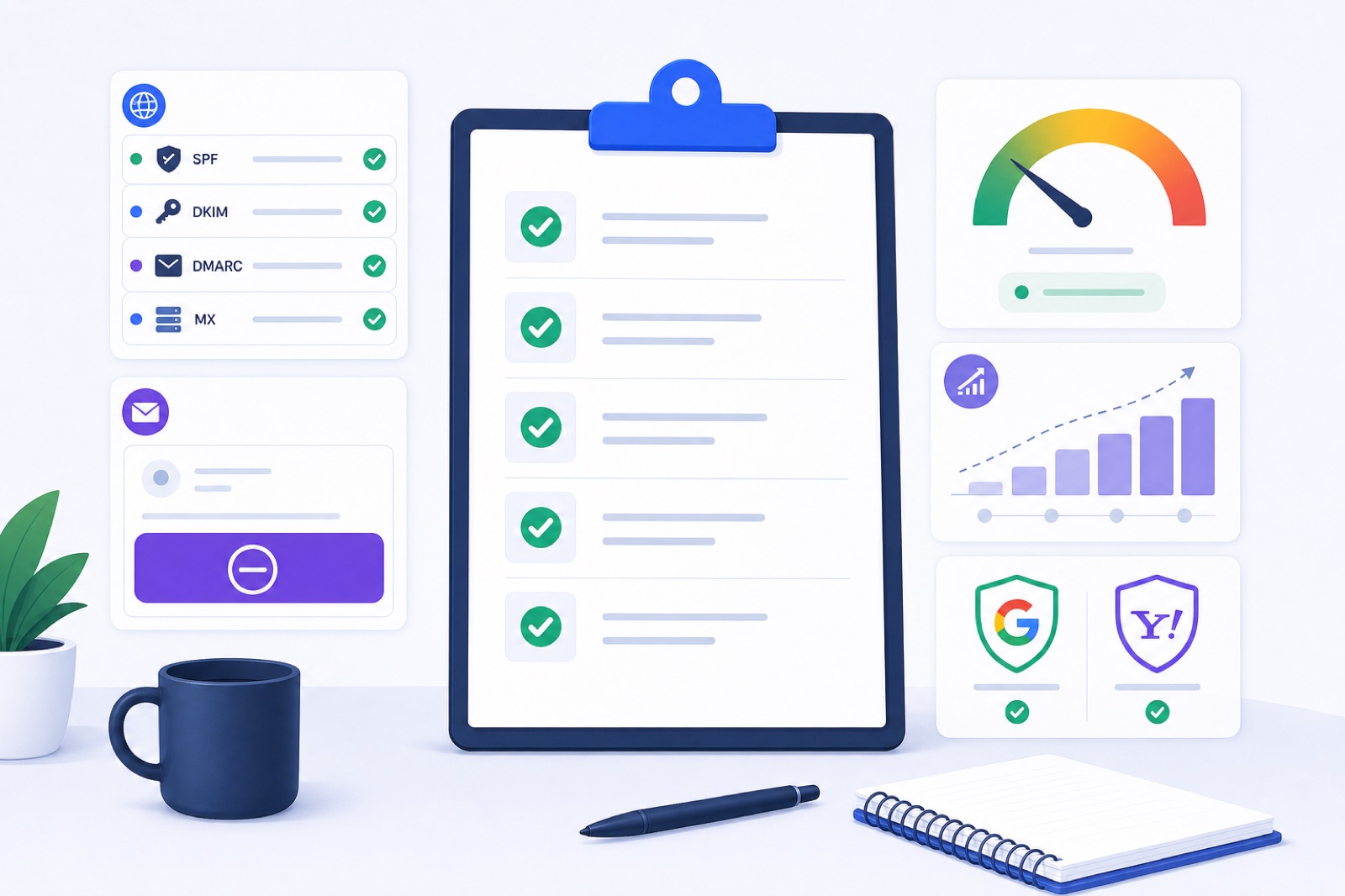
A good cold email deliverability checklist in 2026 starts with SPF, DKIM, DMARC, one-click unsubscribe, complaints under 0.1%, warm-up, and 30–50 cold emails per mailbox per day. Ignore those and Google or Yahoo can route mail to spam or reject it. This guide gives the checks to run before every campaign.
Use this as an operating checklist, not a one-time setup. Deliverability changes when you add domains, mailboxes, sending tools, lists, copy, or volume. If the terms are new, start with the plain-English email warm-up glossary, then come back and work through the checks in order.
The order matters. DNS comes before sending. Unsubscribe comes before scale. Warm-up comes before campaigns. Volume comes after you have evidence that mail is landing.
What belongs in a cold email deliverability checklist?
Start with the numbers. Some are provider requirements. Others are practical operating ranges for cold outreach. When a provider publishes a threshold, use it. When it does not, stay conservative and watch your own data.
| Area | 2026 target | How to use it |
|---|---|---|
| Google spam complaints | Under 0.1% target; avoid 0.3% or higher | Use 0.1% as your internal ceiling. Investigate before you reach 0.3%. |
| Yahoo spam complaints | Under 0.3% | Yahoo lists this in its sender best practices. Stay lower for cold outreach. |
| DMARC | At least p=none | Publish DMARC before campaigns. Move stricter only after alignment is stable. |
| SPF | Pass; align when SPF is used for DMARC | Keep the SPF record under the 10 DNS-lookup limit. |
| DKIM | Pass; align when DKIM is used for DMARC | Enable DKIM for each sending provider and domain. |
| Unsubscribe | One-click for bulk mail | Add List-Unsubscribe headers and a visible body link. |
| Yahoo unsubscribe handling | Honor within 2 days | Suppress unsubscribed contacts across all campaigns. |
| Existing domain warm-up | 7+ days | Use before outbound if the domain already has healthy history. |
| New domain warm-up | 2–3 weeks | Ramp slower and avoid sales blasts in week one. |
| Warm-up during campaigns | 10–15/day per mailbox | Keep normal positive mailbox activity while sending. |
| Cold email volume | 30–50/day per mailbox | Add mailboxes for scale instead of overloading one inbox. |
| Mailboxes per domain | Typically 2–5 | Spread larger sending across secondary domains. |
| Bounce stop rule | Pause above 5% | High bounces are a list-quality and reputation problem. |
Keep the source rules open when you set policy. Google publishes its sender requirements in Google’s email sender guidelines. Yahoo publishes its requirements in Yahoo Sender Hub best practices. One-click unsubscribe behavior is defined in RFC 8058.
Do not treat these as newsletter-only rules. Cold email tools send automated, repeated commercial mail. Google and Yahoo judge the recipient experience, not your internal label for the campaign.
Is your DNS ready?
Authentication is the first gate. If SPF, DKIM, or DMARC is missing or broken, do not start the campaign.
SPF tells receivers which services may send for your domain. DKIM signs the message. DMARC tells receivers how to evaluate SPF and DKIM alignment for the visible From domain.
For cold outreach, usually use a secondary domain. Keep your main company domain for customers, finance, hiring, support, and internal mail. If a cold campaign creates complaints, you do not want that risk attached to your primary domain.
A minimum cold email DNS setup looks like this:
| Record | Name | Typical value | Verify |
|---|---|---|---|
| SPF | Root or sending subdomain | v=spf1 include:your-sender.example ~all | SPF passes for the sending platform. |
| DKIM | Selector host, such as google._domainkey | Provider-generated public key | DKIM passes on sent mail. |
| DMARC | _dmarc.yourdomain.com | v=DMARC1; p=none; rua=mailto:dmarc@yourdomain.com | DMARC record is found and aligned mail passes. |
| MX | Root or mail subdomain | Provider mail servers | The mailbox can receive replies. |
| PTR | Sending IP reverse DNS | Matches a valid hostname | Required when you control the sending IP. |
If you use Google Workspace, enable DKIM in Admin console → Apps → Google Workspace → Gmail → Authenticate email. Google commonly uses the google DKIM selector.
If you use Zoho, Lark, Amazon SES, SendGrid, or Mailgun, publish the provider’s DKIM records for each domain you send from. Do not copy records between domains. Generate them per domain.
Check SPF for lookup problems. SPF has a 10-DNS-lookup limit. Too many nested includes can make SPF fail even when the record looks correct. If you have added old CRMs, ticketing tools, and marketing tools over time, audit SPF before sending. Use an SPF lookup check and remove services you no longer use.
Then check DKIM and DMARC separately. A domain can have SPF and still fail DMARC if alignment is wrong. Use the DKIM checker and DMARC checker before you connect a new mailbox to a campaign.
Can people unsubscribe easily?
Every cold campaign needs a clean exit. If recipients cannot unsubscribe quickly, they use the spam button.
Use both unsubscribe methods:
- a visible unsubscribe link in the message body;
- List-Unsubscribe headers, including one-click behavior for bulk mail.
The body link is for humans. The header is for mailbox providers and email clients. Gmail and Yahoo can show their own unsubscribe UI when the headers are present and trusted.
A typical header setup includes a mailto option and an HTTPS option:
| Header | Purpose |
|---|---|
List-Unsubscribe | Provides the unsubscribe address or URL. |
List-Unsubscribe-Post | Enables one-click unsubscribe behavior under RFC 8058. |
Do not make unsubscribe conditional. Do not require a login. Do not ask the recipient to explain why. Do not send a confirmation email that keeps them in the sequence until they click again.
Yahoo says bulk senders must support one-click unsubscribe and honor unsubscribes within 2 days. Use that as your operating rule across providers.
Your cold email platform should suppress unsubscribed contacts forever at the account level. If a person unsubscribes from one campaign, do not re-import them into another campaign next month.
Also stop sequences on reply. A reply is not always positive, but it is a human response. Continuing an automated sequence after someone replies creates complaints and makes the sender look unmanaged.
If you send from warmed mailboxes using BobWork Outbound, each email includes one-click unsubscribe. Unsubscribes and bounces are suppressed for the account, and a reply stops the sequence for that contact.
Are complaints staying low?
Complaints are stronger than opens. A recipient clicking “Report spam” tells the provider that your mail was unwanted.
For Gmail, target a spam complaint rate under 0.1%. Google says senders should avoid a rate of 0.3% or higher. Do not run cold outreach close to the upper line. Treat 0.1% as your working ceiling.
Yahoo lists a spam rate under 0.3% in its best practices. Cold email should run lower. Cold outreach starts with weaker consent than a newsletter, so you need stricter list quality and clearer messaging.
Monitor complaints and related signals in four places:
| Signal | Where to check | What it tells you |
|---|---|---|
| Gmail spam rate | Google Postmaster Tools | Domain-level Gmail complaint signal when data is available. |
| Yahoo complaints | Your sending platform or complaint handling setup | Whether Yahoo recipients are marking mail as spam. |
| Warm-up spam landings | Warm-up dashboard | Whether controlled mail is landing in spam before or during campaigns. |
| Bounces and replies | Campaign tool or unified inbox | Bad lists and negative replies often appear before complaint data is obvious. |
Complaint rate is not only a technical issue. DNS can be perfect while the campaign still gets reported.
The usual causes are simple:
- the recipient has no reason to know you;
- the list source is weak or stale;
- the subject line overpromises;
- the email looks automated;
- the offer is not relevant to the role;
- the sequence continues after a reply or unsubscribe;
- the sending volume jumps too fast.
Fix the campaign before blaming the mailbox. A safe technical setup cannot make an irrelevant message welcome.
A good cold email sequence is short, specific, and easy to stop. If you need a practical structure, use this 4-step cold email sequence template and keep the stop rules strict.
Have you warmed up first?
Warm-up creates normal mailbox activity before you ask a mailbox to send cold outreach. It is not magic. It is a controlled way to build sending, receiving, replies, and spam-folder recovery signals before the campaign starts.
Use warm-up in three cases:
- a new mailbox;
- a new secondary domain;
- an existing mailbox that has been idle or had spam issues.
For an existing healthy domain, warm for at least 7 days before outbound. For a new domain, use 2–3 weeks. If the domain is brand new, spend the first week on low-risk mail and warm-up. Do not start with a full cold campaign.
A typical warm-up ramp looks like this:
| Day range | Warm-up activity | Cold outreach |
|---|---|---|
| Days 1–3 | 3–7 warm-up emails/day | None or very low manual mail |
| Days 4–7 | 9–15 warm-up emails/day | Only if DNS is passing and spam is low |
| Week 2 | 15–25 warm-up emails/day | Start small on existing domains |
| Week 3 | 20–30 warm-up emails/day | Start carefully on new domains |
| During campaigns | 10–15 warm-up emails/day | 30–50 cold emails/day per mailbox |
BobWork Email Warm-up starts at 3 emails per day, adds 2 per day, and caps at 30 by default. The cap is editable per mailbox up to 100. Weekends run at 30%, and sends are spread from 09:00 to 18:00 in the mailbox’s own time zone. The free shared warm-up network does this step automatically, or you can switch to a private pool per account if you prefer.
The useful part is measurement. BobWork measures spam landings directly in receiving mailboxes. It does not rely on third-party seed lists. A mailbox is marked ready for outbound only after 7+ days warming, a 7-day spam rate of 10% or lower, and at least 30 warm-up emails received.
Warm-up should keep running while campaigns run. Do not warm a mailbox, stop everything, and then send cold email in bursts. Keep steady daily activity instead.
For a deeper ramp plan, use the 14-day and 28-day email warm-up schedule. If the domain is brand new, follow the slower new-domain plan inside that guide.
Is mailbox volume controlled?
Volume problems usually happen after the first good test. Ten emails land fine, so the sender jumps to 150 per day from one mailbox. That is where deliverability breaks.
Keep cold email volume per mailbox conservative. A typical safer range is 30–50 cold emails per day per mailbox after warm-up. New mailboxes should start lower.
If you need 500 cold emails per day, do not send them from one inbox. Use more mailboxes and more domains.
| Daily cold email target | Safer setup | Notes |
|---|---|---|
| 50/day | 1–2 mailboxes | Use one domain if reputation is healthy. |
| 150/day | 3–5 mailboxes | Keep each mailbox under 30–50/day. |
| 300/day | 6–10 mailboxes | Use more than one domain. |
| 500/day | 10–17 mailboxes | Spread across several secondary domains. |
| 1,000/day | 20–34 mailboxes | Use strict list validation and monitoring. |
For cold outreach, a typical domain setup is 2–5 mailboxes per domain. More is not automatically unsafe, but concentration increases risk. If one campaign performs badly, you do not want every sender tied to one domain.
Do not hide behind inbox rotation. Rotation helps distribute load. It does not fix poor targeting, broken DNS, missing unsubscribe, or high complaints.
Also control timing. Send inside working hours. Avoid midnight blasts from every mailbox. Add gaps between emails from the same sender. Keep weekends lighter unless your market expects weekend email.
If you are planning volume, calculate mailboxes first, then domains, then daily send. The mailbox calculator guide gives practical examples.
What should you check weekly?
Run the same checklist every week and every time you add a new domain, mailbox, sending tool, or campaign.
| Step | Action | How to verify |
|---|---|---|
| 1 | Confirm SPF exists for every sending domain. | SPF checker returns pass and no lookup-limit error. |
| 2 | Confirm DKIM is enabled for every provider. | Test email shows DKIM pass for the From domain or aligned domain. |
| 3 | Confirm DMARC exists. | _dmarc.domain.com returns at least p=none. |
| 4 | Check alignment. | SPF or DKIM aligns with the visible From domain. |
| 5 | Test reply receiving. | Send a test email and reply from an external inbox. |
| 6 | Add one-click unsubscribe. | Message includes List-Unsubscribe and List-Unsubscribe-Post. |
| 7 | Test the body unsubscribe link. | Contact is suppressed without login or extra confirmation. |
| 8 | Check complaint rate. | Gmail stays under 0.1%; Yahoo remains under 0.3%. |
| 9 | Check bounce rate. | Pause or clean the list if bounces approach 5%. |
| 10 | Review negative replies. | Rewrite or pause campaigns that attract “spam” or “remove me” replies. |
| 11 | Check warm-up spam rate. | Pause a mailbox for a few days if spam rate rises above 5%. |
| 12 | Review daily volume. | Each mailbox stays around 30–50 cold emails/day after warm-up. |
| 13 | Check domain concentration. | Keep larger campaigns spread across secondary domains. |
| 14 | Check blocklist status. | Use a blocklist checker when placement suddenly drops. |
| 15 | Document changes. | Record DNS, volume, copy, and list changes before judging results. |
This table is also your troubleshooting order. Do not rewrite all campaign copy before you know DNS is passing. Do not buy more domains before you know recipients can unsubscribe. Do not raise volume while complaint and bounce data are unclear.
For spam placement issues, work through the causes in order. The broader cold emails going to spam guide covers DNS, content, lists, warm-up, blocklists, and sending patterns.
Pause a mailbox when warm-up spam rate rises above 5%, Gmail complaints approach 0.1%, Yahoo complaint signals rise toward 0.3%, bounces pass 5%, or the provider shows unusual activity warnings. Also pause if replies mention spam, phishing, scraping, or legal complaints.
When you restart, reduce volume. Keep warm-up running. Send to your cleanest, most relevant segment first. Do not restart with the same list, same copy, and same daily limit that caused the problem.
BobWork Email Warm-up is free for up to 3 mailboxes on new accounts, with no credit card and no time limit. It supports Gmail and Google Workspace, Zoho Mail, Lark Mail, Yahoo Mail, iCloud Mail, Amazon SES, SendGrid, Mailgun, and any IMAP+SMTP mailbox. Outlook and Microsoft 365 are not supported yet because Microsoft requires OAuth.
Use the free warm-up tool to check SPF, DKIM, and DMARC daily, warm mailboxes in the shared warm-up network, or switch to a private pool per account when you prefer only your own mailboxes warming each other. Keep this checklist beside every campaign plan. Treat complaints, unsubscribe failures, and volume jumps as reasons to slow down before providers force you to.
Frequently asked questions
What is the most important cold email deliverability rule for 2026?
Authentication comes first. Set SPF, DKIM and DMARC for every sending domain. Then keep complaints low, include working unsubscribe, warm mailboxes before campaigns and limit cold volume per mailbox.
What complaint rate is safe for cold email?
For Gmail, aim to stay under 0.1%. Google says senders should avoid a spam rate of 0.3% or higher. Yahoo lists spam rate under 0.3% in its sender best practices. Treat 0.1% as your operating target.
Do cold emails need one-click unsubscribe?
If you send bulk or automated outreach, include List-Unsubscribe headers and a visible unsubscribe link. Yahoo requires one-click unsubscribe for bulk mail. Google’s sender guidelines also require easy unsubscribe for bulk senders.
How many cold emails can I send per mailbox per day?
A typical safer range is 30–50 cold emails per mailbox per day after warm-up. Start lower on new mailboxes. If you need more volume, add more mailboxes and domains instead of forcing one inbox to send more.
How long should I warm up a mailbox before cold email?
Use about 7 days for an existing healthy domain and 2–3 weeks for a new domain. Keep warm-up running at 10–15 emails per day during campaigns so mailbox activity stays consistent.
Does warm-up fix bad cold email lists?
No. Warm-up helps create normal mailbox activity and catch spam placement signals. It does not fix scraped lists, irrelevant offers, high bounce rates, misleading subject lines or missing unsubscribe links.
Should I use my main company domain for cold email?
Usually no. Use a secondary domain for cold outreach. Keep your primary domain for customers, invoices, support and internal mail. Configure SPF, DKIM and DMARC on the secondary domain before sending.
Warm up your mailboxes free
Connect Gmail, Google Workspace, Zoho or Lark. Your mailboxes warm on a shared network, or in a private pool of your own, starting today.