 Email Warm-up
Email Warm-Up API: Mailbox Onboarding, Stats and DNS Checks
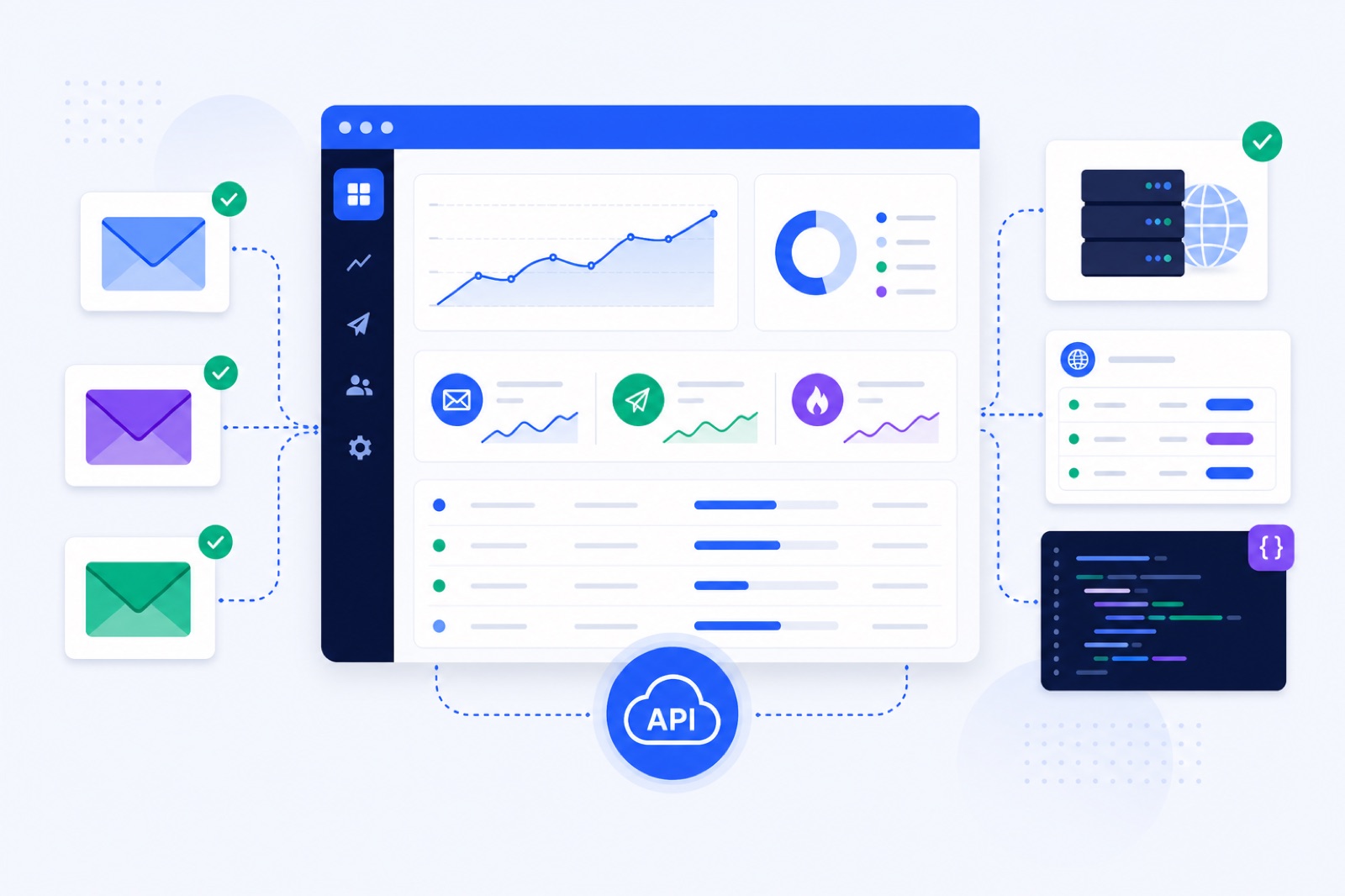
An email warm-up API is worth using when you manage more mailboxes than a dashboard can safely track. Without automated checks, blocked logins, DNS failures and high spam placement can stay active into live campaigns. This guide shows what to automate first, which limits matter, and how to build safe warm-up gates.
BobWork Email Warm-up includes a free beta API with 44 endpoints, personal bwk_ keys, Bearer authentication and a 120 requests/minute limit per key. Use the BobWork API docs for exact paths and fields, and the warm-up strategy for how the engine behaves. The examples below use placeholder paths so you can plan the workflow before copying production requests.
Who needs an email warm-up API?
Use an API when warm-up is part of an operating process, not a one-time setup.
A solo sender with one Gmail account can use the dashboard. An agency onboarding client domains every week needs repeatable steps. A CRM needs mailbox status fields. A sales ops team needs alerts before sequences start.
Agencies use an API to add mailboxes, monitor readiness and flag client issues without logging into every account each morning. If that is your setup, read the guide to warming up multiple mailboxes.
Internal teams use an API to build one source of truth. Your sales dashboard can show each mailbox as Healthy, Watch, At risk or Blocked. Your campaign system can prevent sends from mailboxes that are not ready.
CRM and outreach builders use an API to gate sending. A sequence should not start only because a user clicked Start. It should start when the mailbox has warmed long enough, received enough warm-up mail and kept spam placement low.
Developers building agents can also use API access for automation. If you prefer AI tools over direct REST calls, BobWork also has an MCP server. The separate guide explains the MCP server for warm-up and cold email.
Do not add an API layer for its own sake. If you connect two mailboxes once and check them monthly, the dashboard is faster.
What can the API do?
The BobWork API is a beta REST API. It uses personal keys that start with bwk_, with a maximum of five keys per account. Requests use Bearer authentication. The limit is 120 requests per minute per key.
The API covers mailbox management, warm-up stats, domain checks, IMAP and Zoho mailbox connection, campaigns and contacts. The API itself is free. Sends triggered by paid features use credits.
Warm-up remains free. BobWork Email Warm-up has no credit card, no time limit and up to 10 mailboxes per account free. Each active mailbox above 10 costs $5/month, with lower per-mailbox pricing at larger extra-mailbox volumes.
| Area | Number or limit | How to use it |
|---|---|---|
| API endpoints | 30 | Cover mailboxes, stats, DNS checks, connections, campaigns and contacts |
| API keys | Up to 5/account | Separate production, staging and internal tools |
| Key format | bwk_... | Store as a secret, never in client-side code |
| Authentication | Bearer token | Send Authorization: Bearer bwk_... |
| Rate limit | 120 requests/minute/key | Cache dashboards and avoid aggressive polling |
| Free warm-up mailboxes | 20/account | Enough for many teams before paid extras |
| Warm-up start | 3 emails/day/mailbox | The ramp starts low |
| Warm-up ramp | +2 emails/day | Continues until the cap is reached |
| Default cap | 30 emails/day | Editable per mailbox, up to 100 |
| Weekend traffic | 30% | Expect lower Saturday and Sunday volume |
| Send window | 09:00–18:00 | Uses the mailbox’s own time zone |
| Ready gate | 14+ days, spam ≤10%, ≥30 received | Use before allowing outbound campaigns |
BobWork uses a shared warm-up network by default. Every active mailbox exchanges warm-up emails with other active mailboxes across accounts. A private pool is optional under Mailbox pool → Pool mode. In private mode, only your own mailboxes warm each other, and at least two mailboxes are needed.
The shared warm-up network handles the repetitive activity automatically: sending, receiving, replies, spam rescue and archiving. Your API layer should focus on onboarding, checks, reporting and safe gates.
Which limits matter first?
An API makes bad processes faster if you skip limits.
BobWork supports Gmail and Google Workspace, Zoho Mail, Lark Mail, Yahoo Mail, iCloud Mail, Amazon SES, SendGrid, Mailgun and any IMAP+SMTP mailbox. Outlook and Microsoft 365 are not supported yet because Microsoft requires OAuth.
For Gmail and Google Workspace, the recommended route is IMAP with an app password. That requires 2-Step Verification. One-click Google sign-in also exists, but Google caps unverified apps at 100 users. BobWork has not completed the CASA audit, so spots are limited and Google shows an unverified-app notice. A Workspace admin can mark the app as trusted in the Admin console.
For Zoho Mail, the API route uses a Zoho Mail API Self Client code and works on the free plan. IMAP is also available on Mail Lite and above. That matters if your onboarding flow supports free Zoho accounts.
For Amazon SES, SendGrid and Mailgun, sending uses the platform’s SMTP credentials. Receiving still needs an inbox over IMAP. Warm-up is not just SMTP traffic. The receiving side is how the system observes spam placement and rescues warm-up mail.
BobWork only touches warm-up mail carrying the engine’s own hidden header. For Zoho API senders, it uses a known subject. Real mail is never read, moved or answered.
Separate warm-up status from deliverability guarantees. Warm-up can help create normal mailbox activity. It cannot fix a purchased list, broken authentication, misleading content or excessive volume.
Google’s sender guidance says to keep spam rates below 0.1% and avoid reaching 0.3%. See the Google email sender guidelines. Yahoo requires SPF and DKIM, DMARC at least p=none, alignment, one-click unsubscribe for bulk senders and spam rates under 0.3%; see Yahoo sender best practices.
Use the API as a control point. Do not use it as permission to send unlimited cold email.
How should you create keys?
Treat warm-up API keys like production email credentials.
Create a separate key for each environment or integration. A staging script should not share the same key as your production CRM. If a contractor builds an internal dashboard, give that dashboard its own key and rotate it when the work ends.
Store keys in a secret manager or environment variable. Do not put bwk_ keys in browser JavaScript, mobile apps, public repos or shared spreadsheets. Your server should call the API, then expose only the fields your users need.
A local setup can look like this:
``bash export BOBWORK_API_KEY="bwk_replace_with_your_key" export BOBWORK_API_BASE="https://copy-api-base-from-docs" ``
Then send the Bearer header with each server-side request:
``bash -H "Authorization: Bearer $BOBWORK_API_KEY" ``
Add three controls before you automate at scale.
First, log response status codes. A failed mailbox connection should create a visible task, not disappear in a nightly job.
Second, back off when you hit rate limits. Dashboards should cache. Polling every mailbox every few seconds wastes your limit and creates noisy logs.
Third, record the mailbox owner and client account in your own system. BobWork shows and manages only your own account’s mailboxes. Your CRM still needs its own mapping from client, domain, mailbox and campaign.
If you build a sales workflow after warm-up, read the pay-as-you-go cold email software guide. BobWork Outbound is beta and charges by sent email, but only ready mailboxes can send.
What should you read first?
Start with read-only calls. They are safer, easier to debug and useful immediately.
A mailbox list powers most dashboards. You can show connection status, provider, warm-up state and the client or domain from your own metadata.
Placeholder list request:
``bash curl -s "$BOBWORK_API_BASE/{mailbox-list-path}" \ -H "Authorization: Bearer $BOBWORK_API_KEY" \ -H "Accept: application/json" ``
Store the returned mailbox ID in your system. Do not rely on display names as unique identifiers.
Next, read warm-up stats for each mailbox. Your dashboard should focus on decisions, not every field in the response.
Placeholder stats request:
``bash curl -s "$BOBWORK_API_BASE/{warmup-stats-path}?mailbox_id=mbx_123" \ -H "Authorization: Bearer $BOBWORK_API_KEY" \ -H "Accept: application/json" ``
The main metric is the 7-day spam rate. BobWork defines spam rate as the share of a sender’s warm-up mail that receiving mailboxes found in Spam over the last seven days.
The health score runs from 0 to 100. Healthy is 85 or above. Watch is 60 to 84. At risk is below 60. Blocked means login or permission failed.
The ready-for-outbound gate is stricter than a green-looking graph. A mailbox is ready when it has warmed for 14 or more days, has a 7-day spam rate of 10% or lower, and has received at least 30 warm-up emails.
Use those states in your own code:
```text IF status = "Blocked" stop warm-up-dependent workflows and ask for reconnection
IF health_score < 60 remove mailbox from outbound rotation
IF spam_rate_7d > 5% pause the mailbox for a few days
IF ready_for_outbound = false keep the mailbox out of campaigns ```
That last rule matters. A mailbox can be connected and active without being ready for outbound. For the ramp timeline, pair your dashboard with the email warm-up schedule.
How do you connect mailboxes?
Programmatic connection is most useful during onboarding. Your app collects the provider and required credentials. Your backend sends the connection request. Your UI watches the mailbox status and shows the next fix if connection fails.
Use placeholders while developing, then copy exact fields from /api:
``bash curl -s -X POST "$BOBWORK_API_BASE/{imap-connect-path}" \ -H "Authorization: Bearer $BOBWORK_API_KEY" \ -H "Content-Type: application/json" \ -H "Accept: application/json" \ -d '{ "email": "alex@example.com", "imap_host": "imap.example.com", "imap_port": 993, "imap_security": "ssl", "smtp_host": "smtp.example.com", "smtp_port": 587, "smtp_security": "starttls", "username": "alex@example.com", "password": "replace-with-app-or-mailbox-password", "time_zone": "America/New_York" }' ``
Use provider presets where possible. BobWork has named support for Gmail and Google Workspace, Zoho Mail, Lark Mail, Yahoo Mail, iCloud Mail, Amazon SES, SendGrid and Mailgun. It also supports any IMAP+SMTP mailbox.
For iCloud Mail, use an app-specific password. For Yahoo Mail, use an app password. For Lark Mail, use IMAP with a mail-client password. For hosted email, use the provider’s required app password or mailbox password.
Your onboarding form should not ask users for every possible IMAP and SMTP field when they choose a known provider. Show only the fields they need. Bad forms cause bad credentials.
After connection, do not start cold campaigns immediately. Let warm-up run. BobWork’s published recommendation is 14 days for an existing domain and three to four weeks for a new one. During active campaigns, keep warm-up at 10 to 15 emails per day and keep real outreach at 30 to 50 emails per day per mailbox.
If you are warming a new domain, pair the API with the new domain warm-up guide. New domains need more patience than existing business domains.
How do you check DNS?
DNS checks are a strong API use case because they are objective and easy to fail fast.
BobWork checks SPF, DKIM and DMARC daily via DNS and shows results per domain. The API includes domain-check endpoints, so your product can block onboarding until the basics pass.
Placeholder domain check request:
``bash curl -s "$BOBWORK_API_BASE/{domain-check-path}/example.com" \ -H "Authorization: Bearer $BOBWORK_API_KEY" \ -H "Accept: application/json" ``
SPF tells receiving servers which systems can send for your domain. The underlying SPF standard is RFC 7208. In practice, your domain should have one valid SPF record. Multiple SPF records commonly cause failures.
DKIM signs mail so receivers can verify that a message was authorised by the domain. BobWork checks common selectors including google, zmail, default, selector1, selector2, k1, s1, mail, dkim, lark, feishu and zoho.
DMARC tells receivers what to do when SPF or DKIM fails alignment. The DMARC standard is RFC 7489. Start with at least p=none so you can monitor alignment before moving to a stricter policy.
| Check | Pass state | Fail state | What your app should do |
|---|---|---|---|
| SPF | One valid SPF record found | Missing, invalid or multiple SPF records | Show the exact domain to fix |
| DKIM | Selector found and valid | No selector found or invalid key | Ask for the provider’s DKIM record |
| DMARC | Record exists | Missing or malformed record | Ask for a _dmarc TXT record |
| Alignment | From domain aligns with SPF or DKIM | Authentication passes on another domain only | Warn before campaign launch |
Do not hide DNS failures behind a generic “deliverability issue” label. Users need the record name, the domain and the expected next step. For a deeper explanation, link your users to SPF, DKIM and DMARC for cold email.
If your API client launches campaigns, check DNS before every launch. DNS can change after onboarding.
What should you build first?
Use a small first integration. You do not need to automate every endpoint in week one.
Start with mailbox list, warm-up stats and DNS checks. Add mailbox connection after you trust your error handling. Add campaign and contact endpoints only when your warm-up gates are reliable.
| Step | Action | How to verify |
|---|---|---|
| 1 | Create a separate bwk_ key for development | The key is stored outside code |
| 2 | Set BOBWORK_API_KEY and API base in env vars | A local script can read both without printing the key |
| 3 | Call the mailbox list endpoint | You can see connected mailbox IDs |
| 4 | Store mailbox IDs in your system | Refreshing does not create duplicates |
| 5 | Pull warm-up stats daily | Each mailbox shows health, spam rate and readiness |
| 6 | Add DNS checks per sending domain | SPF, DKIM and DMARC appear next to the domain |
| 7 | Block campaigns until ready | A not-ready mailbox cannot be selected |
| 8 | Alert on Blocked or At risk | The owner gets a reconnection or pause task |
| 9 | Cache dashboard reads | You stay below 120 requests/minute/key |
| 10 | Route provider gaps | Outlook/Microsoft 365 users see a wait path |
A good first version can be simple: list mailboxes, show health, show DNS, and block anything not ready. That gives your team most of the safety value without building a full control plane.
Then add connection flows. Agencies usually get the most value here because onboarding is repetitive. Ask for the provider first, show only the required credentials, verify the connection, start warm-up and display the estimated timeline.
Finally, add outbound logic only if needed. BobWork Outbound is beta and sends from the user’s own warmed mailboxes. It charges $2 per 1,000 emails sent, has no monthly fee, and only mailboxes that pass the ready gate can send. Warm-up keeps running on the same mailboxes while they send.
The simplest path is to connect one test mailbox in the free warm-up tool, call the read endpoints, and build your gate before adding writes. Use /api when you need those checks inside your own product, CRM or agency workflow.
Frequently asked questions
What is an email warm-up API?
An email warm-up API lets your code connect mailboxes, read warm-up status, check DNS records and manage related workflows without using only a dashboard. It is useful when you manage many mailboxes or need warm-up data inside another system.
Who needs a warm-up API?
Agencies, internal sales teams, CRM builders and ops teams benefit most. If you onboard many client mailboxes, maintain an internal deliverability dashboard, or need to stop campaigns based on mailbox health, an API avoids repetitive manual work.
Can I connect Outlook or Microsoft 365 by API?
Not in BobWork yet. Outlook and Microsoft 365 are not supported because Microsoft requires OAuth. Current supported routes include Gmail or Google Workspace, Zoho, Lark, Yahoo, iCloud, SES, SendGrid, Mailgun and other IMAP/SMTP mailboxes.
Does the API guarantee inbox placement?
No. No warm-up API can guarantee inbox placement. Warm-up helps create normal sending and receiving signals, but DNS, complaint rates, list quality, content, sending volume and recipient engagement still matter.
Is the BobWork API free?
Yes. The API is free. It supports personal keys, Bearer authentication and 120 requests per minute per key. Sends triggered through paid features, such as Outbound, use credits, but warm-up itself stays free.
Can the API check SPF, DKIM and DMARC?
Yes. BobWork checks SPF, DKIM and DMARC daily via DNS and shows results per domain. The API includes domain-check endpoints, so you can surface those checks in your own onboarding flow or dashboard.
Warm up your mailboxes free
Connect Gmail, Google Workspace, Zoho or Lark. Your mailboxes warm on a shared network, or in a private pool of your own, starting today.