 Email Warm-up
Amazon SES Warm Up for Cold Email
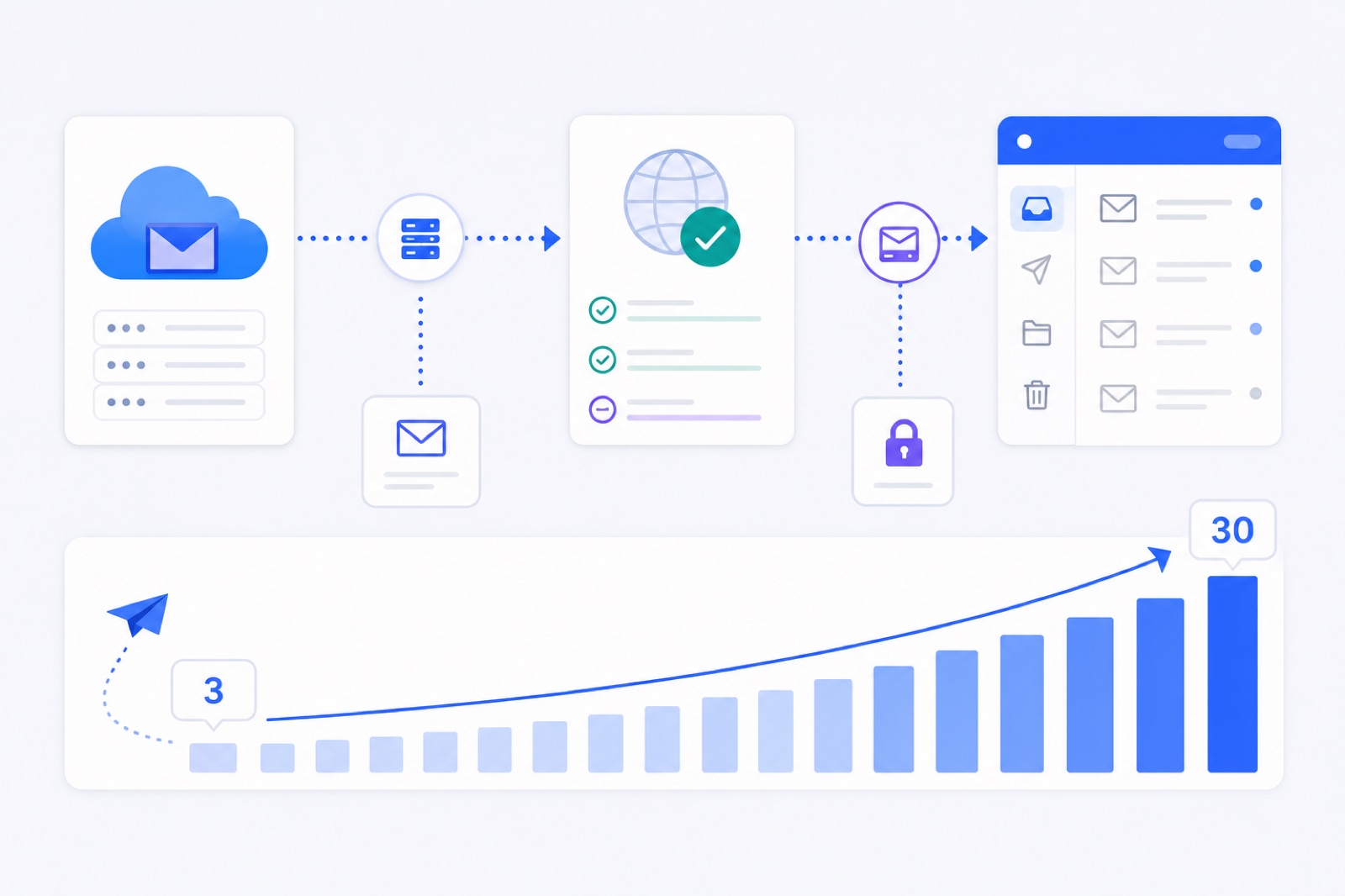
Warm up Amazon SES only after production access, verified identities and SMTP credentials are ready; then start at about 3 warm-up emails per day and ramp slowly. If you skip the receiving inbox or confuse IP warm-up with mailbox warm-up, you can build SES volume while still landing in spam. This guide gives the safe setup path, numbers and checks.
Amazon SES is an email infrastructure service, not a normal inbox. That matters for cold email. SES can send as a verified identity, but it does not give you an inbox where replies, spam placement and engagement live. For a day-by-day ramp, keep the sending schedule separate from your SES quota. You can compare the pattern with our email warm-up schedule before you connect anything.
This guide assumes you want to send low-volume cold outreach from a real address, such as alex@example.com, through SES SMTP. If you send transactional mail, use a separate identity, subdomain and reputation track. Do not mix password resets, invoices and cold outreach in one stream.
Plan your Amazon SES warm up
Your first job is to decide what you are warming. There are three layers, and they are not interchangeable.
The SES account and Region control whether AWS allows you to send. Sandbox status, account-level sending quotas and enforcement live here. You must follow AWS rules before any warm-up tool can send real messages.
The domain and identity control authentication and reputation. This includes SPF, DKIM, DMARC, custom MAIL FROM and the visible From address. A verified identity with broken DNS is not ready for cold email.
The mailbox controls replies, spam placement and engagement. This is the part many SES setups miss. If alex@example.com sends through SES, that same address should also be able to receive mail in a real mailbox. Warm-up needs that receiving side.
For cold email, treat warm-up as mailbox behaviour, not just SMTP throughput. Sending 1,000 messages through a newly approved SES account is not warm-up. It is volume. Warm-up means sending gradually, receiving replies, rescuing only warm-up messages from spam, and watching placement over time.
Use a separate subdomain if your main domain handles critical product mail. For example, keep app mail on example.com and outreach on hello.example.com or another controlled domain. This reduces blast radius if a campaign performs badly. It does not make bad lists safe.
Get SES ready first
Start in the AWS console. SES configuration is Region-specific, so choose the same AWS Region you will use for SMTP sending.
Go to Amazon SES → Configuration → Verified identities → Create identity. Choose Domain for domain-level sending. AWS will give you DNS records for verification and DKIM. Add them at your DNS host exactly as shown.
AWS documents identity setup in its verified identities documentation. Use that as the source of truth if the console wording changes.
Do not start cold outreach from a single verified email address if you can verify the domain. Domain verification gives you cleaner control over DKIM and future senders. You still need the mailbox itself to exist.
Next, check authentication.
SPF authorises the mail path. With SES, this may involve a custom MAIL FROM domain if you want SPF alignment. DKIM signs the message with your domain. DMARC tells receivers what to do when SPF or DKIM alignment fails.
At minimum, use DKIM and DMARC before cold email. A relaxed DMARC policy such as p=none is common while you test. Move slowly before stricter enforcement. If you need quick checks, use our SPF checker, DKIM checker and DMARC checker.
Then request production access. In the AWS console, go to Amazon SES → Account dashboard and request production access for the Region. AWS explains the sandbox model in its moving out of the sandbox documentation.
While in the sandbox, AWS says you can only send to verified identities and the mailbox simulator. Sandbox quotas are also restricted. That is not enough for normal mailbox warm-up because your peers must be real receiving inboxes.
When you request production access, be specific. Explain the mail type, expected volume, bounce handling, complaint handling, opt-out process and authentication. Do not describe cold email as transactional mail. AWS can review and enforce sending behaviour.
Create SES SMTP credentials
SES SMTP credentials are not the same as a normal mailbox password. They are generated credentials used to authenticate to the SES SMTP endpoint.
In the AWS console, go to Amazon SES → SMTP settings → Create SMTP credentials. AWS creates an IAM user and gives you an SMTP username and password. Store them securely. You may not be able to view the password again.
AWS documents this process in its SES SMTP credentials guide. Use the endpoint for your Region, such as email-smtp.us-east-1.amazonaws.com for US East (N. Virginia). Your exact hostname depends on the Region.
Use TLS. Port 587 with STARTTLS is a common default. Port 465 with TLS wrapper is also supported by SES. Check the AWS documentation and your sending tool’s settings before you save.
A typical SES SMTP setup looks like this:
| Setting | Typical value | What to check |
|---|---|---|
| SMTP host | email-smtp.<region>.amazonaws.com | Same Region as your verified identity |
| Port | 587 or 465 | STARTTLS for 587, TLS wrapper for 465 |
| Username | SES SMTP username | Not your AWS login email |
| Password | SES SMTP password | Not your AWS console password |
| From address | Verified identity address | Mailbox must also receive replies |
| Return-path | SES default or custom MAIL FROM | Prefer alignment when configured correctly |
Send a test message to an inbox you control. Check the full headers. Look for spf=pass, dkim=pass and dmarc=pass or the equivalent verdict shown by the receiving provider.
If the message sends but authentication fails, stop. Fix DNS first. Warm-up cannot compensate for broken SPF, DKIM or DMARC.
Separate IP and mailbox warm-up
SES has its own concept of dedicated IP warm-up. That is different from mailbox warm-up.
Dedicated IP warm-up is about gradually building reputation for a new sending IP. AWS describes this in its dedicated IP warm-up documentation. Depending on your SES configuration, AWS may gradually shift traffic to a new dedicated IP. Check the current AWS settings for your account.
Mailbox warm-up is about the identity that recipients see and interact with. It includes replies, thread depth, spam-folder recovery for warm-up mail, and steady sending from the same address.
You may need both. For example, a new SES dedicated IP with a new outreach mailbox has no meaningful sending history at either layer. IP warm-up helps the infrastructure. Mailbox warm-up helps the sender identity.
You may also need only mailbox warm-up. If you send through SES shared IPs, you still need a cautious ramp for a new mailbox or domain. Shared infrastructure does not give your address a clean history.
Do not use SES quota as your cold email target. A higher SES quota only means AWS permits more sending. It does not mean Gmail, Yahoo, Outlook, Zoho or corporate filters will like your campaign.
Also separate streams. Keep cold outreach away from transactional mail. Use different identities, tags, configuration sets or subdomains where practical. That makes bounces, complaints and reputation easier to interpret.
Connect the receiving inbox
This is the part that decides whether SES can be warmed like a mailbox.
A warm-up system must send and receive. SES handles the send side through SMTP. The receive side should be a real inbox reachable over IMAP, such as the mailbox behind alex@example.com.
If your From address cannot receive mail, fix that before warm-up. Replies to cold email should not disappear. Spam placement cannot be measured properly without a receiving mailbox. Threaded warm-up also needs somewhere to land.
For example, your setup might be:
| Role | Example | Why it matters |
|---|---|---|
| Sending service | Amazon SES SMTP | Sends authenticated mail |
| Visible From | alex@example.com | Builds sender identity reputation |
| Receiving inbox | IMAP mailbox for alex@example.com | Receives replies and warm-up mail |
| DNS identity | example.com or subdomain | Holds SPF, DKIM and DMARC |
| Warm-up peers | Other mailboxes you control | Exchange realistic messages |
The receiving inbox does not have to be hosted by AWS. It can be with a provider that supports IMAP access. What matters is that the mailbox matches the sender address and can be checked safely.
BobWork Email Warm-up supports Amazon SES by using SES SMTP credentials for sending and the receiving inbox over IMAP. The free pool does this step automatically once the mailbox is connected (it warms with the shared network by default, or only with your own mailboxes if you switch the account to a private pool), so each mailbox can send, receive, reply and report spam placement inside your own private pool.
The private-pool detail matters for sensitive addresses. In a private pool, only your own mailboxes write to each other. A public warm-up network exchanges mail with other users’ inboxes. If you want the trade-offs, read private warm-up pools versus public networks.
Use a safe ramp
Start lower than your SES quota. New cold email mailboxes should build slowly, even if AWS production access gives you more room.
For an existing domain, warm for at least 14 days before meaningful outbound. For a new domain, use three to four weeks. During active campaigns, keep warm-up running at about 10–15 messages per day per mailbox. Keep real cold outreach around 30–50 emails per mailbox per day.
Use more mailboxes instead of forcing one identity to carry too much volume. A slow, boring ramp is safer than a sudden jump.
| Number | Applies to | Use it this way |
|---|---|---|
| 200 messages per 24 hours | SES sandbox quota | AWS sandbox limit; request production access before normal warm-up |
| 1 message per second | SES sandbox rate | AWS sandbox rate; do not treat it as a target |
| 3 emails/day | First warm-up day | Safe starting point for a mailbox |
| +2 emails/day | Daily ramp | Increase gradually, not in jumps |
| 30 emails/day | Normal warm-up cap | Enough for mailbox history in most cold setups |
| 30% weekend volume | Saturday and Sunday | Avoid a seven-day robotic pattern |
| 14+ days | Existing domain | Minimum before calling a mailbox ready |
| 3–4 weeks | New domain | Better for new domains or new sending identities |
| 10–15/day | Warm-up during campaigns | Keep background activity steady |
| 30–50/day | Real outreach per mailbox | Typical cold email range; add mailboxes for more volume |
| 5% spam rate | Pause threshold | Pause a few days if warm-up spam rate rises above this |
In BobWork, the engine starts at 3 emails per day, adds 2 per day, and caps at 30 per day by default. The cap is editable per mailbox up to 100, but higher is not automatically better. Sends are spread between 09:00 and 18:00 in the mailbox’s own time zone, with randomness every 15 minutes.
A pair never writes to each other twice within three hours. Peers on a different domain or provider are picked twice as often. About 40% of received warm-up mail gets a reply, and threads end after three messages. That is enough to create normal-looking conversations without building endless artificial threads.
Do not add links, images or heavy formatting to warm-up content. Plain office-style text is enough. Save links and attachments for real campaigns after the mailbox has history.
Monitor the right signals
SES gives useful sending signals, but it does not tell the whole inbox-placement story.
Watch SES bounces, complaints, rejections and sending pauses. Set up notifications or event publishing if you are running more than a few mailboxes. If AWS pauses sending or warns about reputation, stop cold outreach and fix the cause.
Then watch mailbox-level placement. The question is simple: when this identity sends, do receiving inboxes place the message in Inbox or Spam?
A warm-up tool should measure spam landings directly inside receiving mailboxes. Seed-list tests can be useful for snapshots, but direct warm-up placement is better for the mailboxes in the pool. BobWork measures spam rate as the share of a sender’s warm-up mail found in Spam by receiving mailboxes over seven days.
Use these operating rules:
- If DNS fails, stop and fix DNS.
- If SES rejects or pauses sending, stop and fix SES.
- If warm-up spam rate goes above 5%, pause that mailbox for a few days.
- If replies drop and spam placement rises, reduce real outreach.
- If one mailbox is overloaded, add mailboxes instead of raising volume.
Readiness should have a threshold. In BobWork, a mailbox is ready for outbound after 14 or more days warming, a seven-day spam rate of 3% or lower, and at least 30 warm-up emails received. That does not guarantee inbox placement. It means the mailbox has enough warm-up evidence to start carefully.
For broader diagnosis, use why emails go to spam as a checklist. For provider-specific SES setup, keep the practical guide at Amazon SES warm-up open while you configure credentials.
Do this now
Use this table before you send the first cold campaign through SES.
| Step | Action | How to verify |
|---|---|---|
| 1 | Choose one AWS Region for sending | SES console shows the verified identity in that Region |
| 2 | Verify the sending domain in SES | Identity status is verified in Verified identities |
| 3 | Add DKIM records from AWS | Receiving headers show dkim=pass |
| 4 | Publish SPF and DMARC | DNS lookup returns the expected TXT records |
| 5 | Request SES production access | Account dashboard no longer shows sandbox restrictions |
| 6 | Create SES SMTP credentials | Test send works through the SES SMTP endpoint |
| 7 | Create or confirm the receiving inbox | The From address receives normal replies |
| 8 | Enable IMAP or app-password access | Your warm-up tool can read the receiving inbox |
| 9 | Start at 3 warm-up emails/day | First day sends are visible in sent mail or logs |
| 10 | Keep real outreach paused at first | No campaign tool sends from the mailbox yet |
| 11 | Review spam placement after 7 days | Warm-up spam rate is trending down, not up |
| 12 | Start cold outreach slowly | Real sends stay near 30–50 per mailbox per day |
If you want to do this without paying for a warm-up seat, use BobWork Email Warm-up. It is free, needs no credit card, and supports up to 20 mailboxes per account. For SES, connect the SES SMTP credentials for sending and the matching receiving inbox over IMAP. One sender plus its receiving inbox is enough on the shared network; keep the ramp modest, and remember that Outlook and Microsoft 365 are not supported yet.
Frequently asked questions
Can I warm up Amazon SES while still in the sandbox?
Only in a limited way. In the SES sandbox, AWS restricts sending to verified recipients and the mailbox simulator, with sandbox quotas. For real warm-up conversations with normal inboxes, request production access first.
Do I need a mailbox if Amazon SES sends the email?
Yes, for mailbox warm-up. SES sends through SMTP, but a warm-up system also needs a receiving inbox over IMAP to detect spam placement, move warm-up mail, and receive replies.
Is SES dedicated IP warm-up the same as email warm-up?
No. Dedicated IP warm-up builds sending history for the IP address. Email warm-up builds mailbox, domain, engagement and placement history. Cold email needs both if you use a new dedicated IP.
How many cold emails should I send from Amazon SES?
For mailbox-based outreach, keep real outreach to about 30–50 emails per mailbox per day. Add more mailboxes instead of pushing one identity too hard. Check your current SES quota separately.
Which SES SMTP port should I use?
AWS documents SES SMTP over ports such as 587 with STARTTLS and 465 with TLS wrapper. Use the SMTP endpoint for the same AWS Region where your SES identity is verified.
Does BobWork support Amazon SES warm-up?
Yes. BobWork Email Warm-up supports Amazon SES using the platform’s SMTP credentials for sending plus a receiving inbox over IMAP. Outlook and Microsoft 365 are not supported yet.
Warm up your mailboxes free
Connect Gmail, Google Workspace, Zoho or Lark. Your mailboxes warm on a shared network, or in a private pool of your own, starting today.