 Email Warm-up
Amazon SES Warm Up for Cold Email: DNS, Sandbox, Ramp
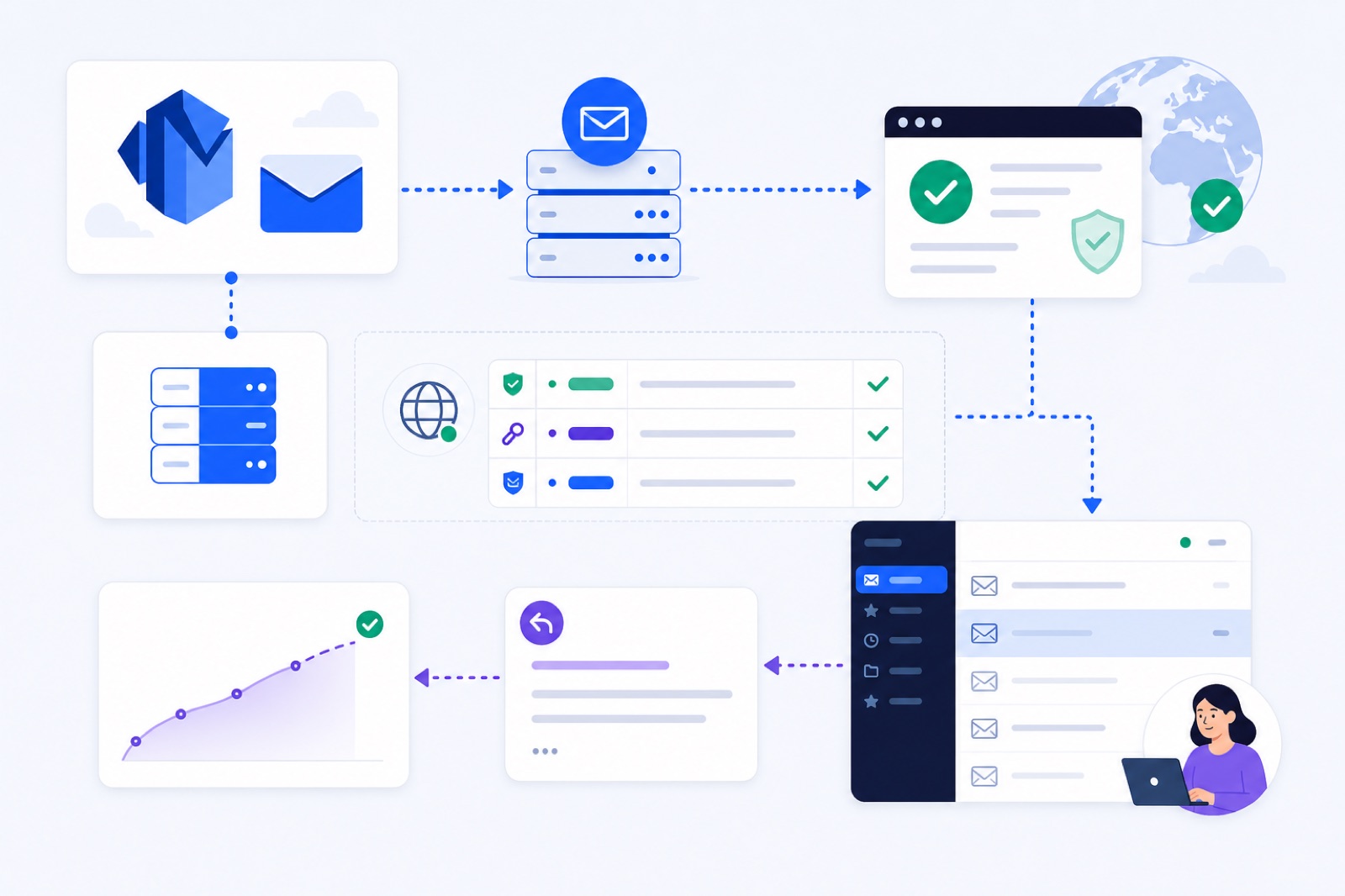
Warm up Amazon SES only after production access, verified identities, and SPF, DKIM and DMARC are working; start at 3 emails per day and reach 30 per day around day 15. If you skip setup, SES may throttle sending and mailbox providers may place mail in Spam. This guide gives the SES route, records, ramp and checks.
Amazon SES is a sending service, not a mailbox provider. That changes warm-up. SES can send through SMTP, but replies, spam-folder checks and rescue need a real receiving inbox over IMAP. If you want the sending pattern before connecting anything, compare this guide with the free warm-up schedule generator.
What must SES approve first?
Amazon SES has two layers to prepare before cold outreach: the SES account and the sending identity.
New SES accounts start in the sandbox. In the sandbox, Amazon restricts who you can send to, how much you can send, and how quickly you can send. Amazon’s sandbox documentation explains the current restrictions and the production access request.
Leave the sandbox before normal cold outreach. Sandbox sending is useful for setup tests, verified test recipients and the mailbox simulator. It is not a normal environment for warming a real outreach identity.
The second layer is the identity you send from. SES requires you to verify an email address or domain before sending from it. For cold email, verify the domain, not only one address. Domain verification lets you authenticate the domain and add more senders later.
Amazon’s verified identity documentation covers the SES side. SES gives you the DNS values. You publish them at the DNS host for the sending domain or subdomain.
Keep these checks separate:
- SES checks account status, verified identities, sending limits, bounces and complaints.
- Mailbox providers check authentication, reputation, engagement, complaints and sending pattern.
- Recipients react to the actual mail: relevance, volume, wording and whether it looks automated.
Do not treat SES production access as inbox placement. It only means Amazon allows broader sending. Gmail, Outlook, Yahoo, Zoho and business gateways still decide where each message lands.
For Gmail recipients, keep spam complaints below Google’s published threshold: under 0.1% is the safe target, and never above 0.3%. For other providers, check the provider’s current limits rather than guessing.
How do you connect SES?
Amazon SES does not receive replies into a normal inbox by default. Warm-up needs both sides:
- SES SMTP credentials for sending.
- A real receiving inbox connected over IMAP.
For SES, create SMTP credentials in the AWS console for the sending region. These are not the same as normal AWS access keys. SES SMTP credentials are scoped for SMTP sending.
In BobWork Email Warm-up, the SES route is SES SMTP for sending plus a receiving inbox over IMAP. The free pool then sends plain-text warm-up mail, creates replies, checks Spam placement in the receiving mailbox, and rescues only its own warm-up messages.
You can use any IMAP-compatible inbox as the receiving side. Common routes are:
- Gmail or Google Workspace by Google sign-in, or by IMAP with an app password. Google shows an unverified-app notice because BobWork has not completed the CASA audit.
- Zoho Mail by Zoho Mail API with a Self Client code, including the free plan, or by IMAP on Mail Lite and higher.
- Lark Mail by IMAP and a mail-client password.
- Yahoo Mail or iCloud Mail by IMAP and an app password.
- Any mailbox where the provider supports IMAP and SMTP.
The warm-up tool only needs to send warm-up mail through SES and inspect the connected receiving inbox for warm-up messages. In BobWork, only mail carrying the engine’s own hidden header is touched. Real mail is never read, moved or answered.
A pair of mailboxes should not hammer each other. BobWork avoids that by not letting a pair write to each other twice within 3 hours. It also picks peers on a different domain or provider twice as often. That matters with SES, because one SES sender talking only to one inbox creates a thin pattern.
One SES sender plus a receiving inbox is enough on the shared network. If you switch the account to Private pool, you need at least two mailboxes, and only your own mailboxes write to each other.
For background on that trade-off, read how an email warm-up network works.
Which DNS records matter?
Do DNS before you ramp. If SPF, DKIM or DMARC is wrong, warm-up can hide the real problem for a few days before the sender stalls.
For SES, the usual DNS set is:
| Record | SES-specific value | Where to publish | How to verify |
|---|---|---|---|
| SPF | v=spf1 include:amazonses.com ~all if SES is the only sender | TXT at the sending domain or subdomain | Use the SPF checker and confirm there is only one SPF record |
| DKIM | Easy DKIM CNAME records generated by SES | Three CNAME records at your DNS host | Use the DKIM checker and confirm SES shows DKIM verified |
| DMARC | Start with v=DMARC1; p=none; rua=mailto:dmarc@yourdomain.com if you monitor reports | TXT at _dmarc.yourdomain.com | Use the DMARC checker and confirm the record is visible |
| Return path | SES custom MAIL FROM domain, if you configure one | DNS records SES gives you | Check SES identity status and DNS resolution |
The SPF include for SES is include:amazonses.com. Do not create two SPF records. If your domain also sends through Google Workspace, Zoho, SendGrid, Mailgun or another service, merge all approved senders into one SPF TXT record.
Easy DKIM is the usual SES DKIM setup. Amazon gives you CNAME records. Publish them exactly as shown. Do not change selector names unless your DNS provider forces a formatting change. Amazon’s Easy DKIM documentation explains the record flow.
DMARC should exist before outreach. A relaxed starting policy such as p=none lets you monitor authentication without blocking legitimate mail. Move to stricter policies only after you know all real senders are aligned.
If you warm a subdomain, authenticate that subdomain. For example, mail.example.com should have its own SES identity and aligned DNS. Do not assume the root domain’s records cover every sending path.
BobWork checks SPF, DKIM and DMARC daily via DNS and shows them per domain. It looks for common DKIM selectors, including default, selector1, selector2, google, zmail, k1, s1, mail, dkim, lark, feishu and zoho.
How do you plan Amazon SES warm up?
There are two different warm-up concepts with SES.
Dedicated IP automatic warm-up is an SES feature for traffic on dedicated IPs. It gradually increases traffic sent through those dedicated IPs. Amazon documents it in the dedicated IP warm-up guide.
Mailbox and domain warm-up is different. It creates a believable sending pattern, replies, spam-folder checks and engagement for your sending identity. Dedicated IP warm-up does not replace this.
Use both if you run SES on dedicated IPs. If you use the shared SES IP pool, focus on identity setup, sending pattern and recipient reaction.
This is the default BobWork ramp:
| Day | Warm-up emails per mailbox | Weekend behaviour | What to check |
|---|---|---|---|
| 1 | 3 | 30% of weekday volume | SES production access, verified identity, SPF, DKIM, DMARC |
| 2 | 5 | 30% of weekday volume | SMTP credentials work and receiving inbox connects by IMAP |
| 3 | 7 | 30% of weekday volume | No authentication failures in DNS checks |
| 4 | 9 | 30% of weekday volume | Warm-up mail lands in Inbox more often than Spam |
| 5 | 11 | 30% of weekday volume | Replies are forming normally |
| 6 | 13 | 30% of weekday volume | No SES throttle or permission errors |
| 7 | 15 | 30% of weekday volume | 7-day spam rate trend starts to matter |
| 8 | 17 | 30% of weekday volume | Pause if sender spam rate is above 5% |
| 9 | 19 | 30% of weekday volume | Keep real outreach very low or off |
| 10 | 21 | 30% of weekday volume | Confirm DMARC still resolves |
| 11 | 23 | 30% of weekday volume | Watch bounces from real tests |
| 12 | 25 | 30% of weekday volume | Keep content plain and low-risk |
| 13 | 27 | 30% of weekday volume | Do not jump campaign volume yet |
| 14 | 29 | 30% of weekday volume | Existing domains may be close to ready |
| 15+ | 30 cap by default | 30% of weekday volume | Maintain or edit the cap if needed |
Sends should not all go out at once. BobWork spreads warm-up mail across 09:00–18:00 in the mailbox’s own time zone, with decisions every 15 minutes and randomness. That is closer to normal office sending than a fixed batch.
About 40% of received warm-up mail gets a reply, and threads end after 3 messages. Messages are plain text, with no links and no images. That reduces variables while you test the SES route.
Use 14 days for an existing domain and 3–4 weeks for a new domain. During campaigns, keep warm-up at 10–15 emails per day per mailbox. Keep real outreach at 30–50 emails per mailbox per day, and add mailboxes rather than forcing more volume through one sender.
What breaks SES warm-up?
Most SES warm-up failures come from setup order, not the ramp itself.
The first block is sending from the sandbox. Test sends may work, then real warm-up fails because recipients are not verified. Request production access before you expect normal replies or live outreach.
The second is using normal AWS keys instead of SES SMTP credentials. SMTP sending needs the credentials created for SMTP in the right SES region. If authentication fails, regenerate them and confirm the region.
The third is connecting SES without a receiving inbox. SES can send, but it cannot create normal two-way warm-up by itself. You need IMAP for replies, spam-folder checks and rescue.
The fourth is broken DKIM. Easy DKIM records are CNAMEs. Some DNS providers display the domain suffix automatically. If you paste the full host into a provider that appends the domain, you can publish a doubled name. Verify the final record.
The fifth is multiple SPF records. SPF permits one SPF record per domain. If you publish one for SES and another for Google Workspace, receivers can treat SPF as invalid. Merge them.
The sixth is trying to solve bad list quality with warm-up. Warm-up helps sending identity behaviour. It does not make scraped, irrelevant or unverified lists safe. High bounces and complaints can still damage the sender.
The seventh is jumping from warm-up to a large campaign. If day 14 looks healthy, start real outreach slowly. Keep warm-up running while you send. Do not replace a gradual campaign ramp with one large export.
If your warm-up spam rate rises above 5%, pause that mailbox for a few days. BobWork labels health as Healthy at 85 or higher, Watch from 60–84, At risk below 60, and Blocked when login or permission fails.
Spam rate means the share of a sender’s warm-up mail that receiving mailboxes found in Spam over 7 days. For a broader diagnosis, use why emails go to spam alongside the SES checks.
What should you check now?
Run this checklist before you send the first real cold campaign through SES.
| Step | Action | How to verify |
|---|---|---|
| 1 | Request SES production access | SES account is out of the sandbox in the sending region |
| 2 | Verify the sending domain identity | SES identity status shows verified |
| 3 | Create SES SMTP credentials | A test SMTP send succeeds from the same region |
| 4 | Publish SPF with include:amazonses.com | The SPF checker shows one valid SPF record |
| 5 | Publish Easy DKIM CNAMEs | SES shows DKIM verified and the DKIM checker resolves the selector |
| 6 | Add DMARC at _dmarc | The DMARC checker finds the record |
| 7 | Connect a receiving inbox by IMAP | Warm-up can access its own marked warm-up messages |
| 8 | Start at 3 warm-up emails per day | The first day sends complete without throttle or permission errors |
| 9 | Watch 7-day spam rate | Pause the mailbox for a few days if it rises above 5% |
| 10 | Keep outreach conservative | Real outreach stays around 30–50 per mailbox per day |
Do not skip the receiving inbox step. Without it, you only test SES sending. You do not test replies, Inbox versus Spam placement, or whether warm-up mail can be rescued.
BobWork rescue only touches warm-up mail. If warm-up mail is found in Spam, it is moved to Inbox, marked read, labelled Warm-up, and archived after 24 hours. It does not read, move or answer real mail.
Use the first-time warm-up guide if this is your first sending identity. It explains the early days and why the first week can look uneven.
When are you ready?
You are not ready just because SES sends successfully. You are ready when authentication is correct, the identity has warmed long enough, and the recent spam rate is low.
A practical ready state is:
- 14 or more days warming for an existing domain.
- 3–4 weeks warming for a new domain.
- 7-day warm-up spam rate at or below 3%.
- At least 30 warm-up emails received.
- SPF, DKIM and DMARC all visible in DNS.
- No SES sandbox, throttle, identity or SMTP permission errors.
BobWork uses the same operational threshold for “Ready for outbound”: 14+ days warming, 7-day spam rate at or below 3%, and at least 30 warm-up emails received.
When you start campaigns, keep warm-up running at 10–15 emails per day per mailbox. Send real outreach slowly. A safe first campaign is smaller than your target campaign, with clean recipients and plain copy.
Track replies, bounces and complaints. If replies are weak and complaints appear, lower real outreach volume. Do not increase the warm-up cap to hide a bad campaign. Fix the list, offer and copy first.
If you use more than one SES sender, add mailboxes rather than pushing one mailbox harder. A few steady senders usually behave better than one sender jumping from warm-up to high volume.
You can connect SES to BobWork Email Warm-up with SES SMTP credentials plus a receiving IMAP inbox. It is free, needs no credit card, supports up to 20 mailboxes per account, and runs a shared network by default with a private-pool switch per account. Outlook and Microsoft 365 are not supported yet.
Frequently asked questions
Can I warm up Amazon SES while still in the sandbox?
Only in a limited way. SES sandbox accounts can send only to verified recipients or the mailbox simulator, with restricted daily and per-second sending. Request production access before cold outreach or normal mailbox warm-up.
Does Amazon SES automatic dedicated IP warm-up replace email warm-up?
No. Dedicated IP warm-up manages traffic growth on a dedicated IP. It does not create replies, rescue spam landings, or build engagement for a mailbox, domain and sending identity.
Why does SES warm-up need an inbox?
SES sends mail but does not provide a normal inbox. Replies, spam-folder checks and engagement need a receiving mailbox connected by IMAP, such as Gmail, Zoho, Yahoo, iCloud, Lark or another IMAP mailbox.
What SPF record should I use for Amazon SES?
If SES is the only sender for the domain, the SPF value is typically v=spf1 include:amazonses.com ~all. If other services also send mail, merge them into one SPF record. Do not publish multiple SPF records.
How long should I warm up Amazon SES before cold email?
Use at least 14 days for an existing domain and 3–4 weeks for a new domain. Keep volume low during campaigns, typically 10–15 warm-up emails per day per mailbox.
Can I use Amazon SES for cold email without DKIM?
You should not. SES can technically send without DKIM in some setups, but cold outreach should use SPF, DKIM and DMARC. Easy DKIM CNAME records are the usual SES route.
What volume should I send from one SES mailbox?
For real outreach, keep volume conservative: typically no more than 30–50 cold emails per mailbox per day. Add mailboxes rather than forcing more volume through one sender.
Warm this mailbox up for free
Connect it in a minute. It warms on the shared network or in your own private pool, ramps 3 to 30 a day, and the dashboard tells you when you are ready.