 Email Warm-up
Smartlead Alternative for Free Email Warm-Up
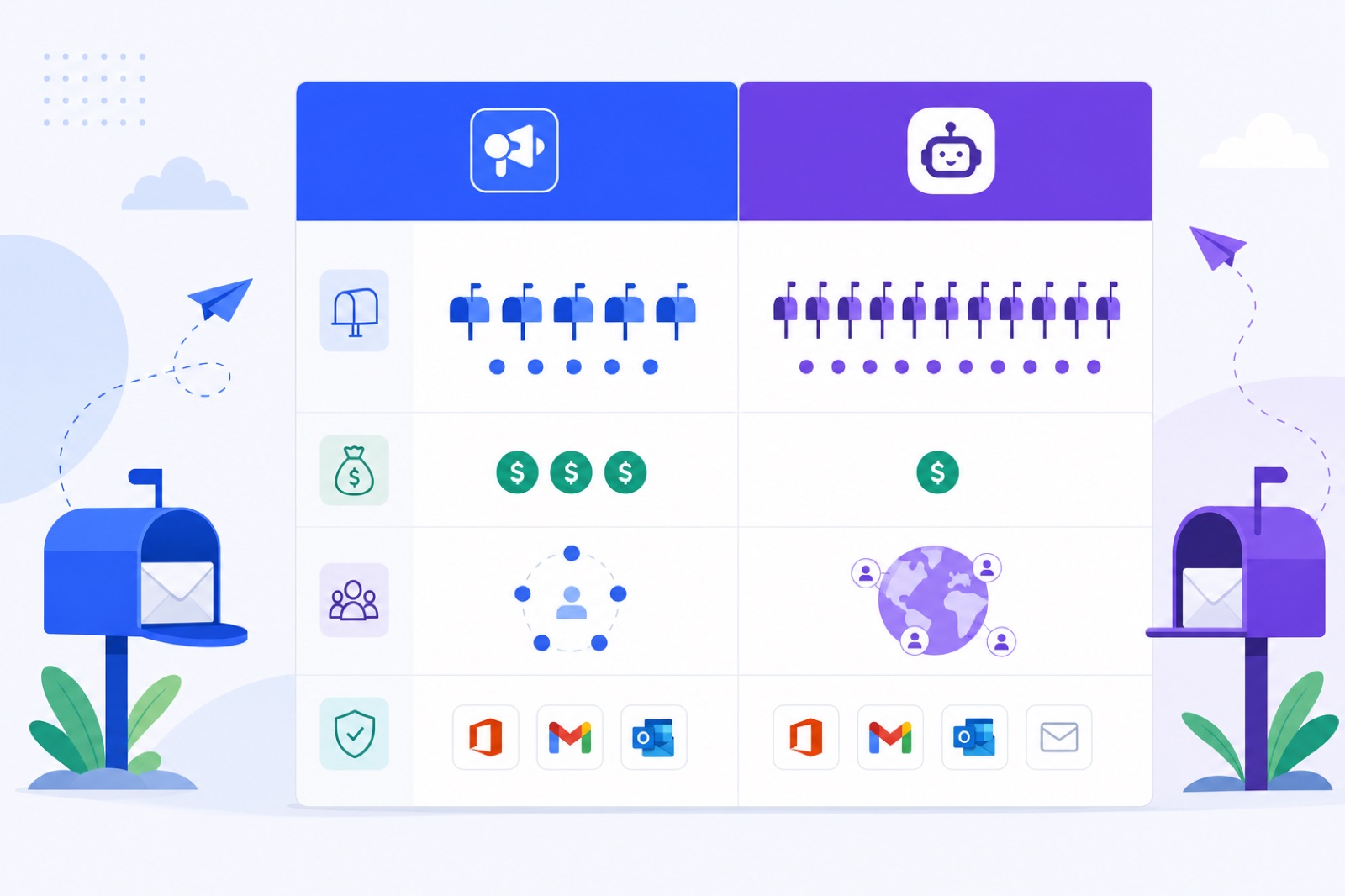
BobWork is the cheaper Smartlead alternative if you only need warm-up: $0 for up to 20 mailboxes, while Smartlead starts at $39/month with warm-up bundled into an outreach platform. Choose wrong and you either pay for tools you do not need or lose Outlook support. This guide compares price, limits, pools, fit, and switching steps.
Use Smartlead if you need Outlook support or want warm-up inside a broader outreach product. Use the free warm-up tool if you want standalone warming for Gmail, Google Workspace, Zoho, Lark, Yahoo, iCloud, SES, SendGrid, Mailgun, or any IMAP+SMTP mailbox.
Prices were read on 3 October 2026 from the vendor’s pricing page; check before you buy.
Is BobWork a Smartlead alternative?
Yes, if warm-up is the job. Smartlead and BobWork Email Warm-up overlap on mailbox warming, but they are built for different workflows.
Smartlead is an outreach platform with warm-up bundled. BobWork Email Warm-up is a standalone warm-up tool. That difference matters more than the headline price.
If you already run campaigns in Smartlead, its built-in warm-up may be convenient. If you only need inbox activity before or during campaigns, paying for a full outreach tool can be unnecessary.
Smartlead pricing source: Smartlead pricing page.
| Row | Smartlead | BobWork Email Warm-up |
|---|---|---|
| Price | Base plan $39/month | $0 up to 20 mailboxes; $2/month per active mailbox above 20 |
| Billing unit | Outreach account plan | Per account; extra active mailboxes above 20 |
| Free plan | No free plan | Yes, permanent free plan |
| Trial | 14 days, no card; trial includes 2,500 sends and 1,250 contacts | Not needed; free plan has no time limit |
| Daily warm-up volume | Not stated on pricing page | Starts at 3 emails/day, +2/day, capped at 30/day by default; cap editable up to 100 |
| Pool type | Private, reward-based, limited-access network | Shared network by default, or private pool per account |
| Providers | Full provider list not stated on pricing page | Gmail/Workspace, Zoho, Lark, Yahoo, iCloud, SES, SendGrid, Mailgun, any IMAP+SMTP |
| Outlook | Yes | Not yet |
| Mailbox limit | Unlimited accounts stated on pricing page | 20 mailboxes free per account; paid extras above 20 |
Two details should decide most cases.
First, Smartlead supports Outlook. BobWork does not yet support Outlook or Microsoft 365. If Microsoft 365 is your main provider, this is a hard limit.
Second, BobWork publishes its warm-up behaviour. The ramp starts at 3 emails per day, adds 2 per day, and reaches 30 per day by default. Sends run from 09:00 to 18:00 in the mailbox’s own time zone, with randomness every 15 minutes. Weekends run at 30%.
That makes BobWork easier to budget and audit when all you need is warm-up.
When should you keep Smartlead?
Keep Smartlead when the outreach platform matters as much as warm-up.
You use Outlook or Microsoft 365. BobWork Email Warm-up does not support Outlook yet. Microsoft requires OAuth, and BobWork has not shipped that connection. If your team uses Outlook today, Smartlead is the safer fit.
You want outreach and warm-up together. Smartlead sells an outreach product with warm-up included. Its trial includes 2,500 sends and 1,250 contacts. If you want one tool for contacts, sends, and warm-up, Smartlead may reduce your stack.
You rely on unlimited accounts. Smartlead’s pricing page states unlimited accounts. BobWork gives up to 20 mailboxes free per account, then charges $2/month for each active mailbox above 20. Compare the full plan limits before moving.
You prefer Smartlead’s network model. Smartlead describes its pool as private, reward-based, and limited-access. BobWork uses a shared warm-up network by default and lets you switch to a private pool per account. Smartlead’s exact network size was not stated on its pricing page, so do not choose based on assumed size.
Your current setup is stable. If campaigns, contacts, and sending already live in Smartlead, switching warm-up alone may create extra work. Staying put can be sensible when spam rates are low and campaigns are active.
Do not leave Smartlead just because another tool is cheaper. Leave only if standalone warm-up solves your problem better.
What does BobWork do differently?
BobWork Email Warm-up is narrower than Smartlead. That is the point.
If you want warm-up without buying an outreach platform, the free plan covers up to 20 mailboxes. There is no credit card and no time limit. Above 20 active mailboxes, each extra active mailbox is $2/month.
The free pool does this step automatically: it sends plain-text office-style warm-up mail through the shared warm-up network, then handles replies and spam rescue for engine-generated messages. About 40% of received warm-up mail gets a reply, and threads end after three messages.
BobWork also publishes the warm-up mechanics.
| Behaviour | BobWork setting |
|---|---|
| Starting daily volume | 3 emails/day per mailbox |
| Daily increase | +2 emails/day |
| Default cap | 30 emails/day |
| Editable cap | Up to 100 emails/day per mailbox |
| Weekend volume | 30% of weekday volume |
| Sending window | 09:00–18:00 in mailbox time zone |
| Pair spacing | Same pair never writes twice within 3 hours |
| Replies | About 40% of received warm-up mail |
| Thread length | Ends after 3 messages |
| Ready gate | 14+ days, 7-day spam rate ≤3%, 30+ warm-up emails received |
BobWork measures spam landings directly inside receiving mailboxes. It does not use third-party seed lists. The spam rate shown is the share of a sender’s warm-up mail found in Spam over 7 days.
Warm-up mail found in Spam is moved to Inbox, marked read, labelled Warm-up, and archived after 24 hours. Only mail carrying the engine’s hidden header is touched. For Zoho API senders, a known subject is used. Real mail is never read, moved, or answered.
BobWork also checks SPF, DKIM, and DMARC daily per domain. If you want to check records before connecting, use the SPF checker, DKIM checker, and DMARC checker.
Warm-up is only one part of sending reputation. Google asks senders to authenticate mail and keep complaint rates low. Its email sender guidelines tell bulk senders to keep reported spam below 0.10% and avoid reaching 0.30% or higher.
What will each option cost?
Here is the simple cost comparison for 1, 5, and 20 mailboxes.
This table compares Smartlead’s Base price with BobWork’s free allowance. It does not value Smartlead’s outreach features. Those features may be useful if you need them.
| Mailboxes | Smartlead monthly cost | BobWork monthly cost | Difference | Notes |
|---|---|---|---|---|
| 1 | $39 | $0 | $39/month | Smartlead includes outreach; BobWork is warm-up only |
| 5 | $39 | $0 | $39/month | Smartlead states unlimited accounts; BobWork stays inside free limit |
| 20 | $39 | $0 | $39/month | BobWork’s free allowance ends at 20 mailboxes |
The comparison changes above 20 mailboxes.
At 21 mailboxes, BobWork charges $2/month for the one active mailbox above the free allowance. At 30 mailboxes, it charges $20/month for 10 extra active mailboxes. Extras pause without billing.
Smartlead may still be better value if you use its outreach platform. If warm-up is the only feature you need, BobWork costs less at these mailbox counts.
For a broader pricing view, compare other tools in the cheapest email warm-up cost table or the free warm-up tools comparison.
How do you switch safely?
Switching warm-up tools is mostly about avoiding overlap. Do not run two warm-up engines on the same mailbox at full volume.
1. Pause Smartlead warm-up
Pause warm-up for the mailboxes you plan to move. Keep real sending steady, or reduce it if the mailbox has recent spam issues.
If a mailbox later shows a warm-up spam rate above 5% in BobWork, pause it for a few days. Do not increase cold email volume while it recovers.
2. Confirm provider fit
BobWork supports Gmail and Google Workspace through Google sign-in or IMAP with an app password. Google sign-in uses the gmail.modify scope. Google may show an unverified-app notice because BobWork has not completed the CASA audit.
If you use IMAP with Gmail, follow Google’s app password instructions. You need two-step verification enabled before Google shows app passwords.
Zoho Mail can connect through the Zoho Mail API with a Self Client code, including on the free plan. Zoho also supports IMAP on Mail Lite and above. Zoho’s Self Client documentation explains where that code comes from.
Lark Mail uses IMAP and a mail-client password. Yahoo Mail and iCloud Mail use IMAP and app passwords. Amazon SES, SendGrid, and Mailgun use the platform’s SMTP credentials for sending, plus the receiving inbox over IMAP.
3. Check DNS records
Check SPF, DKIM, and DMARC before adding volume. BobWork checks these daily once a mailbox is connected, but you should fix obvious gaps first.
For Google Workspace, DKIM selectors are often google. Zoho often uses zmail or zoho. Other common selectors include default, selector1, selector2, k1, s1, mail, dkim, lark, and feishu.
If the mailbox is on a new domain, use 3–4 weeks rather than 14 days. The new domain warm-up guide gives a daily plan.
4. Connect BobWork
Sign in with an email code. There is no password.
Add the mailbox using the connection method that fits your provider. One mailbox is enough to start in the shared warm-up network. If you prefer isolation, go to Mailbox pool → Pool mode and switch to Private pool. A private pool needs at least two mailboxes in your account.
The dashboard shows your own mailboxes only. It does not show other users’ addresses. The live shared network count is visible in the dashboard, not stated here.
5. Let the ramp run
Leave the default ramp alone for the first 14 days unless you have a specific reason to change it. BobWork starts at 3 emails/day, adds 2 per day, and caps at 30/day by default.
During live campaigns, keep warm-up around 10–15 emails/day. Keep real outreach to a typical range of 30–50 emails/day per mailbox. Add mailboxes rather than pushing one mailbox harder.
Use the email warm-up schedule guide if you want a manual day-by-day plan.
6. Wait for readiness
BobWork marks a mailbox ready for outbound when all three conditions are met: 14 or more days warming, 7-day spam rate of 3% or less, and at least 30 warm-up emails received.
That does not guarantee inbox placement. It tells you the mailbox has enough warm-up history to begin cautious outbound sending.
Do this now
Use this checklist before you cancel, switch, or connect another mailbox.
| Step | Action | How to verify |
|---|---|---|
| 1 | Decide whether you need Smartlead’s outreach platform | If you only need warm-up, standalone warm-up is enough |
| 2 | Check provider fit | Use Smartlead for Outlook; use BobWork for supported IMAP/API/SMTP providers |
| 3 | Pause duplicate warm-up | The mailbox is active in only one warm-up tool |
| 4 | Check SPF, DKIM, and DMARC | Records pass in DNS tools or inside BobWork domain checks |
| 5 | Connect the mailbox | The mailbox is not Blocked by login or permission failure |
| 6 | Choose shared or private pool | Shared is default; private is set under Mailbox pool → Pool mode |
| 7 | Keep the first ramp conservative | Volume starts at 3/day and rises gradually |
| 8 | Start outreach only after readiness | Mailbox has 14+ days, spam rate ≤3%, and 30+ received warm-up emails |
Do not use warm-up to hide a bad sending process. If your list is scraped, your offer is unclear, or your unsubscribe process is weak, warm-up will not fix that.
Warm-up gives a mailbox normal sending and reply activity. It also helps you spot DNS failures, authentication gaps, and spam-folder patterns before you scale.
For a deeper explanation, read does email warm-up work? and the guide to why emails go to spam.
Frequently asked questions
Is BobWork a free Smartlead alternative?
Yes, if you only need email warm-up. BobWork Email Warm-up is free for up to 20 mailboxes with no card and no time limit. Smartlead has no free plan; its Base plan starts at $39/month.
Does Smartlead support Outlook?
Yes. Smartlead lists Outlook support. BobWork Email Warm-up does not support Outlook or Microsoft 365 yet because Microsoft requires OAuth. Use Smartlead or another Outlook-ready tool if Outlook warming is required now.
Does Smartlead state its daily warm-up volume?
Not on the pricing page used for this comparison. BobWork states its ramp: 3 emails/day, plus 2 per day, capped at 30/day by default. The cap is editable per mailbox up to 100.
Can I use BobWork for more than 20 mailboxes?
Yes. The first 20 mailboxes are free per account. Each active mailbox above 20 costs $2/month, billed by Stripe, prorated, and cancellable any time. Extras pause without billing.
Is BobWork private or shared?
BobWork uses a shared warm-up network by default. You can switch to a private pool in Mailbox pool → Pool mode. Private pools only use your account’s mailboxes and need at least two mailboxes.
How long should I warm up before sending campaigns?
Use at least 14 days for an existing domain. Use 3–4 weeks for a new domain. BobWork marks a mailbox ready when it has 14+ days warming, a 7-day spam rate of 3% or less, and 30+ warm-up emails received.
Try the free option first
No card, no trial clock, up to 20 mailboxes, shared network or private pool. If you outgrow it, you have lost nothing.